Unknown's avatar

The Big Cosmic Show – Total Eclipse 2017

Hi everyone! On August 21st, the solar eclipse took place and what a show it was. The path of totality, where one would see a total eclipse, crossed the U.S.A. from Oregon to South Carolina. I had heard the reports that there would be tremendous traffic in the areas around the path of totality, but, being within 100 miles of a total eclipse for the first time in my life, I decided to go for it. I’d never seen a total solar eclipse and felt it would be almost criminal for me to miss this one because of fears of heavy traffic. And, to get an idea of what to look for during a total eclipse, and also ways of making pinhole viewers, I checked out YouTube, which can be very helpful in finding out about lot’s of things.

The Trip There

I was prepared. Totality in Salem, Oregon would take place around 10:17am local time, so, I got up around 4am and left about 5:15am. I mapped out a back road route in advance and armed with my maps, gps, and a packed lunch, eclipse glasses, a home-made pinhole viewer, and my camera, I set out. Traffic going to Salem was much better than I expected and I arrived there in about an hour and 15 minutes, which is near normal. I realized, people had been arriving over the previous 4 to 5 days, so the influx was more gradual, and I figured this might be the case, but, being a possible once-in-a-lifetime event, I wasn’t taking any chances.

My Viewing Site

I didn’t go to one of the advertised venues, but instead opted for a supermarket parking lot on the east side of Salem. I found easy, and free, parking. The beautiful thing about an event like this is, you can view it from anywhere, it’s not like a greatly anticipated movie, rock concert, or sports event where you have to go to a specific place, this is visible across a wide path from anywhere in town or between towns for that matter.

There were a few others there, including someone with a telescope, using it to project an image of the sun and eclipse on a large white sheet of paper, and this was actually more effective and safer than the glasses, and more detailed than the pinhole viewer, though the pinhole viewer was definitely effective in showing the advancing eclipse.

Total Solar Eclipse 2017. Man with telescope using it to project image of eclipse on large white paper. Looks great! – 8/21/2017

Remember! – Never look at the sun without certified eclipse glasses or filters! Best and safest is to look indirectly using a projection on a surface or a pinhole viewer! Otherwise your eyes can be damaged instantly! Only during totality in an eclipse is it safe to look with the naked eye!

What I Saw

At first, when the eclipse started, you didn’t notice much darkening or lessening of the amount of light. What you could notice, as I had learned from YouTube, is that, the light coming through the leaves of a tree will actually show the crescent sun as the eclipse advances! I saw this for myself! And, this effect is visible whether or not the eclipse itself is total, partial, or annular. (Where the moon doesn’t quite cover the sun but leaves a full circle of light instead of totality.)

Total Solar Eclipse 2017. Crescent suns on the ground after totality as seen through the tree leaves. – 8/21/2017

There is another effect which is sometimes happens just before and after totality, called “shadow snakes”, in which these shimmering shadowy lines appear, but this is somewhat rare and I didn’t see this, but, in retrospect, I could see where it may have been close to happening.

As the light dims, which you do start to notice at around 85-90 percent totality, it looks different from the dimming of light when the sun sets normally or when clouds move in. And, you can “See” the moon’s shadow coming, as a darkening of the sky. It also looked to be changing to a darker blue, again, different from a normal sunset. And, the street and parking lot lights come on as well! Then, totality hits and it gets almost as dark as night much quicker than it would in a normal sunset. At this point, you can look at the sun without protection, with the naked ye, safely. And what a sight!

Total Solar Eclipse 2017. Sun in totality. Light from corona makes sun look like it is shining but in actuality, it is dark as it is covered by the moon, which one would see in person or with a better camera. – 8/21/2017

You do see the sun’s corona from behind the moon, which is a pitch black circle in the sky. You can also see stars and planets. I saw Venus, which, where it was, would be completely obscured by the sun’s light before and after totality. In the photo I took, the light of the corona does overwhelm the dark circle of the moon, and no photo does it justice.

The temperature does drop, though I was too engrossed in the eclipse to really notice it myself. Also, all along the horizon, you see distant light as in a sunset, but overhead and nearly to the horizon, it’s a night sky! They refer to this as a “360 degree sunset or sunrise” And it is really different and worth seeing.

Where I was, totality lasted about a minute and 56 seconds roughly. When the sun starts reappearing, there’s a sort of flash at one end of the moon’s rim making it look like a diamond ring. At this time it is no longer safe to look at the sun with the naked eye!

And, the light again looks different from normal sunlight. It first looks like the light is coming from a very powerful electric spotlight from far away, like standing in a big football or athletic field at night with only one light on, shining down on the filed. Then, still slowly but seemingly faster than before totality, the light starts coming back, still with that strange dimness, but then returns to normal. And, on the projection of the sun or through a pinhole viewer, you see a now reappearing and growing crescent sun, the crescent appearing on the opposite side.

Though the totality only lasts a very short time, the partial eclipse usually lasts about two hours, so you can still use the pinhole viewer to view the remaining partial eclipse.

In Conclusion – My Thoughts
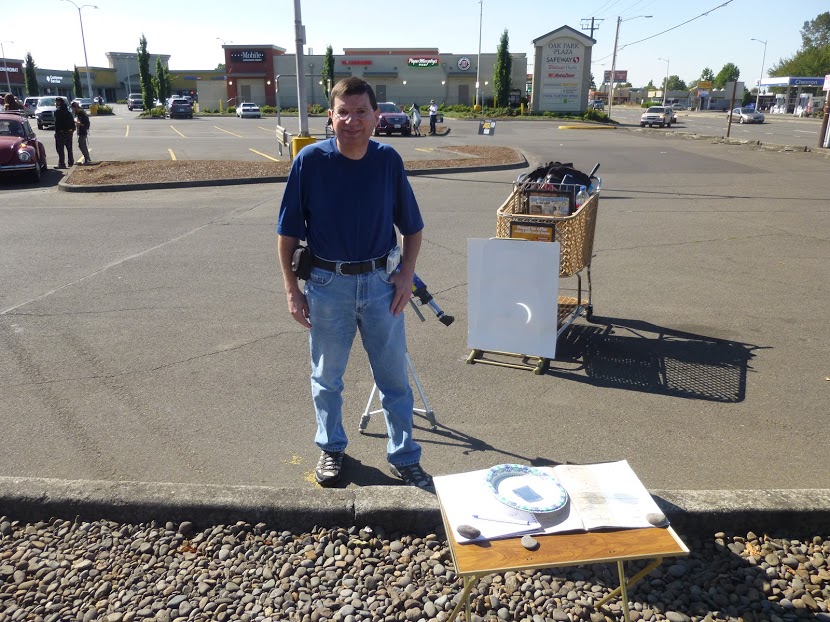
Total Solar Eclipse 2017. Me just after the totality phase of the eclipse, as shown on the projection in the background. – 8/21/2017

I had considered staying where I lived to view the eclipse, where it would be 99.2 percent totality, but everything I’d read from those who had seen a total eclipse said that there was a huge difference, like the difference between “going to the prom vs actually getting married”, or “hitting 5 numbers in the lottery vs hitting 5 plus the mega or power number for the top jackpot”, so I went and it was worth it! It did take me 2 1/2 hours to get home using back roads, but I’d do it again even if it took me twice as long to get home! I found that the comparisons that I read about are true and I’m glad I went down to Salem to see my first total solar eclipse! It was quite a show and not one to be missed!

Here’s Β the video I took during the eclipse. Enjoy!

Happy Observing!

If you like what you’ve read here, please let others know of this post, blog, and site.

And thanks for reading! Β πŸ™‚

Unknown's avatar

A Handy Tool for Rendering Computer Help Remotely

Are you computer savvy? Even just a little bit more than most people you know? Well, if you are, they probably know it. And, when they need help with their computers, chances are, they call you, right? And, unless you live close enough to simply hop over to their place within minutes, you probably have to help them remotely, over the phone. And, when you do, you come to realize why doctors often refuse to make a diagnosis over the phone.

Windows 10 Start Menu. 11/27/2015


It can be really frustrating to identify a computer problem over the phone and even tougher to correct it, as you have to guide the person who you’re helping and they may not always understand, or be as familiar as you are, with what you’re trying to tell them. And it often doesn’t matter that they may be as computer savvy or literate as yourself. When I worked for a large company in the past, I often had to try to describe technical problems to our IT department, and I often wished I had some kind of camera that would allow them to see what I was talking about, because it was still difficult at times for both sides to “see” the same problem.

Well, there is a free software program that can really help in this regard. It’s called,Β Team Viewer,Β and it’s really great! If you ever allowed a tech company to remotely control your computer to diagnose a problem for you, Team Viewer is similar. How it works is, you go to the website, download it, and install it on your computer, and also have the other person do the same. You’ll also see more information about Team Viewer, including resources for both business and personal use. The website is quite informational.

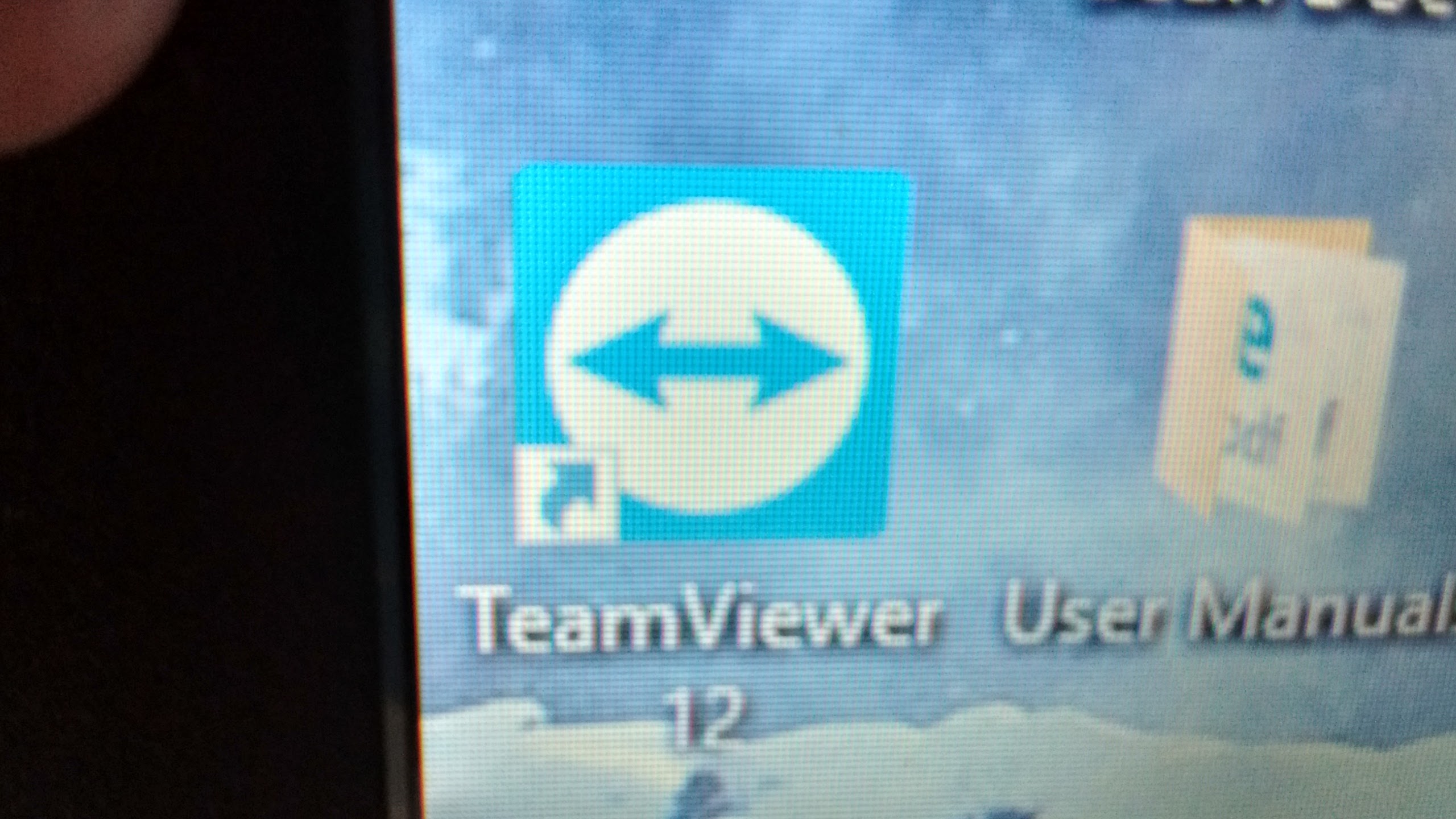
The program will install a desktop shortcut like the one pictured once it is installed. Then both you and the other person call each other and then each of you will click on the shortcut on your computers. This will bring up Β the team viewer windows.


The person needing your help will then give you their password, which you enter into a field on your Team Viewer window. You’ll then see the other person’s computer and your mouse will move the cursor on their screen. They can still move the cursor and see their own screen as well. You can then see what they are seeing and can correct the problem for them or guide them while seeing what they are actually doing and what actually happens when the problem shows up if it is not readily apparent. This means you can see the problem as it really is, which makes it much easier to identify and correct!

It’s really helped me since my cousin told me about it. As I often help a few of my relatives with their computers, and with them living quite a distance from me, it has made it much easier to identify and correct problems on their computers.

If you’re worried about having someone else have control of your computer, just remember, they cannot get control until you give themΒ your password, which changes every time you open Team Viewer. Your mischievous nephew cannot take control of your computer on a whim. He would have to have you turn your computer on and give him the current password.

And, there is a Team Viewer app for Chromebooks, which can then be used to diagnose problems on other computers, whether they are Chromebooks or regular Windows pc’s or laptops.

So, if you are the go-to person when your friends or relatives need computer help, Team Viewer is for you!

Happy computing!

If you like what you’ve read here, please let others know of this post, blog, and site.

And thanks for reading! Β πŸ™‚

Unknown's avatar

Want Great Sound? Get a Blue Tooth Speaker!

Hi everyone! I’ve been curious about these portable blue tooth speakers lately. I did have some computer speakers that could be used alone with my mp3 player, but they required an additional plug-in to an electrical wall socket and also weren’t very loud, despite being of otherwise good quality. I had another set that was completely portable that I could also use with my mp3 player. The great points for this set of speakers were that they were very light weight, required neither an additional plug-in to an electrical socket or computer or anything else, and also required no batteries! I would just plug them into my mp3 player and they worked. But they were extremely weak and just being more than about 5 feet away from them meant not really hearing what was playing.

Both sets had some extra wires to contend with and neither set could really fill the room with sound.

I’d seen the portable blue tooth speakers in stores and found most to be quite impressive sound-wise, and have no wires to contend with, but I really wasn’t sure if these speakers would work as well in my place, especially the smaller ones. And many of them are pricey, especially if they are of any size, and many don’t have a battery life of more than 10 hours.

So, a couple of weeks ago, I decided to check them out on Amazon, as I can often find more varieties here than at almost any store, plus with reviews and usually more information, and I found one I liked, with a 24 hour battery life and the ability to connect with non-blue tooth items via an auxiliary audio cable, like the one I sometimes use to connect my mp3 player to my car’s stereo, so I can listen to my playlists on long trips. And it only cost $30!


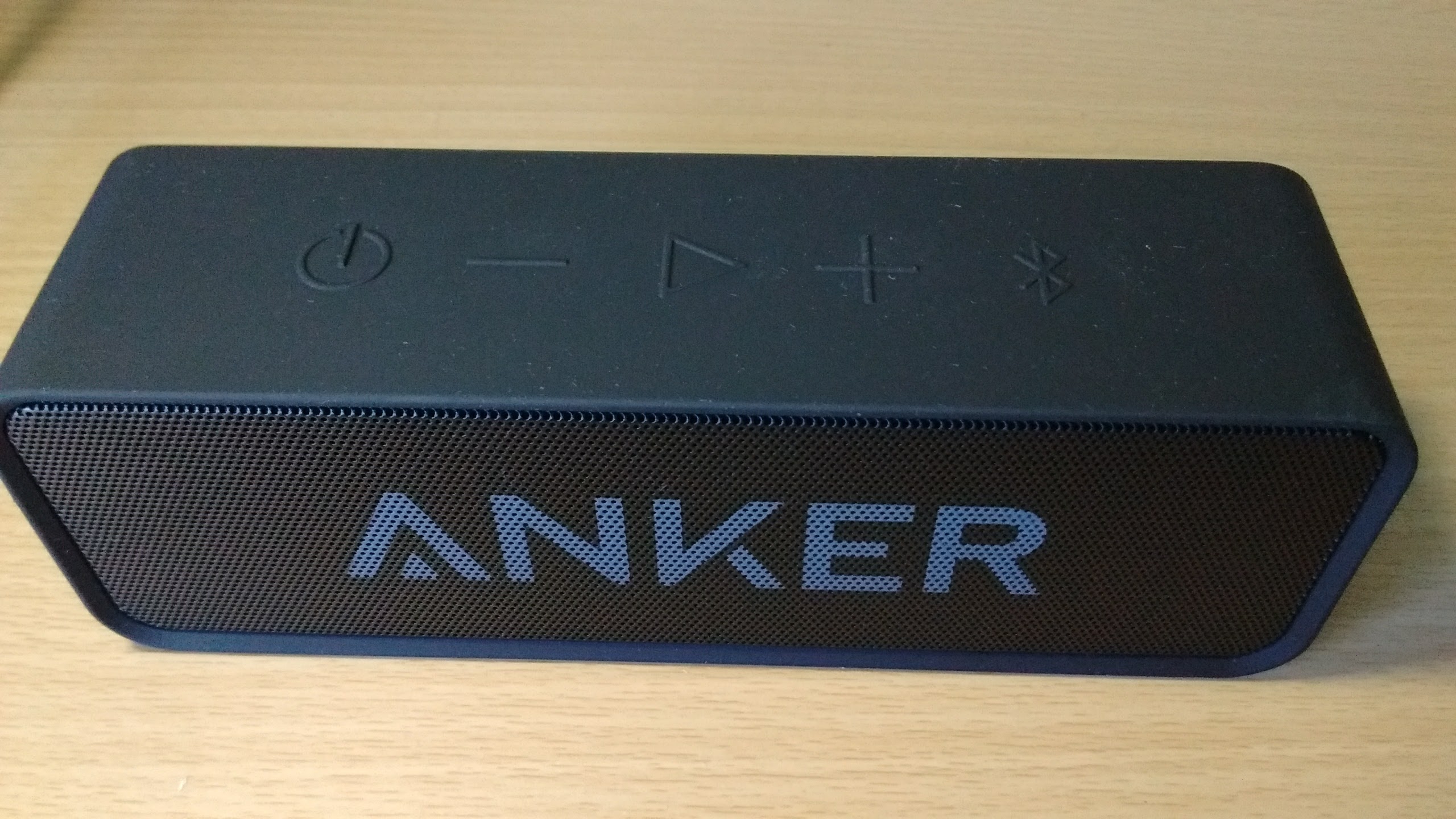
This is it. And I am very satisfied!

Buttons on top include the power button, volume down, play/pause, volume up, and blue tooth. This area, which goes around the speaker via the top and bottom, is rubberized so the speaker won’t slip easily.

Many portable blue tooth speakers have some sort of rubberized surface, and some are even made to be water-resistant with the outdoors in mind.


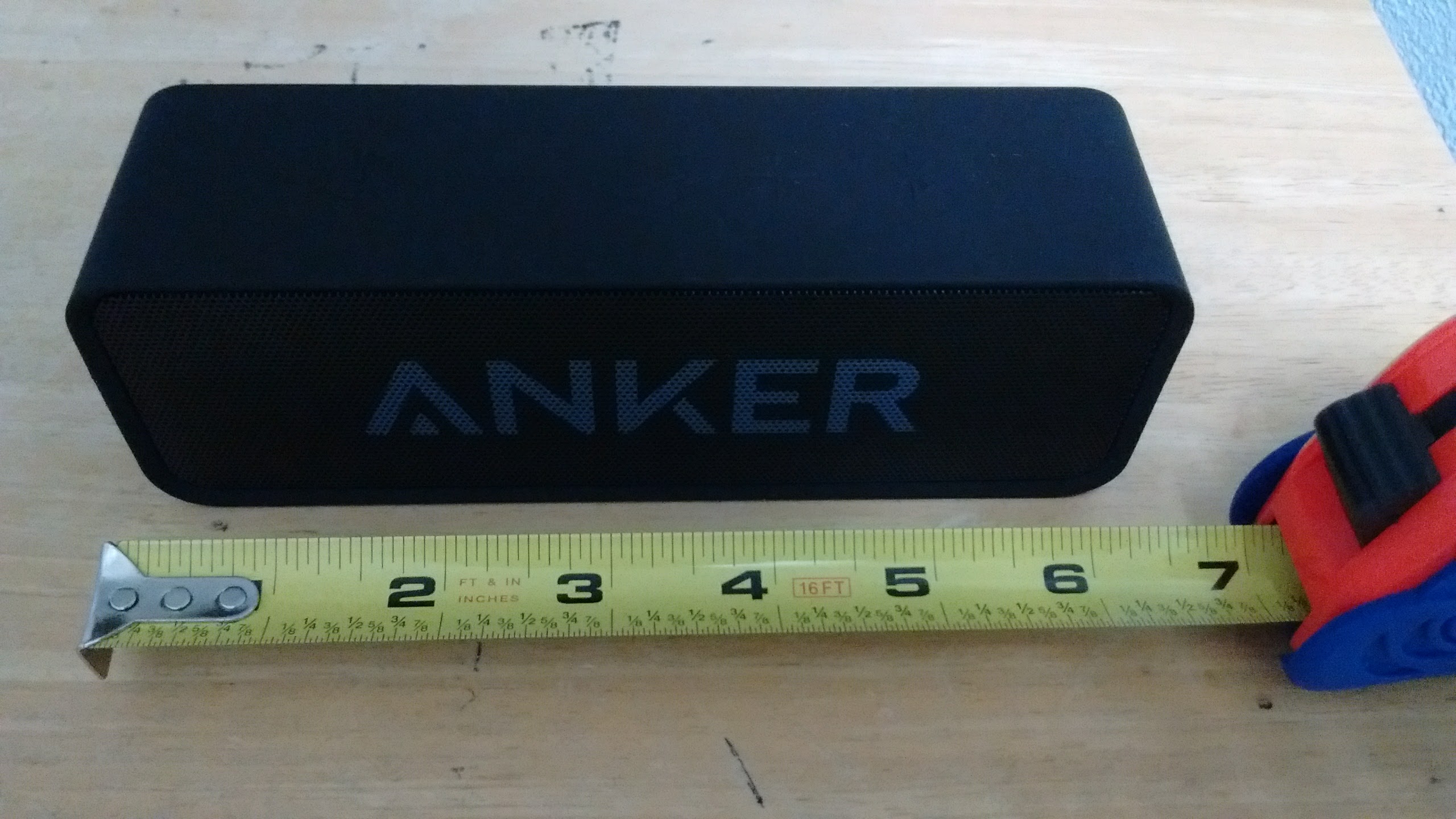
And, it is just under 7 inches long!

And light enough to take anywhere! I’ve known people who pair these speakers to their phones and take the speakers with them where ever they go.

And the sound? It is great! Once you connect it via blue tooth to your phone, or computer or other device, you will notice the difference right away! This speaker, despite its small size, will fill the room, and possibly your whole house, with great sound!

So how long will it play? I haven’t yet played it for a really long time, but it’s battery life is rated at 24 hours and the reviews seem to bear this out.

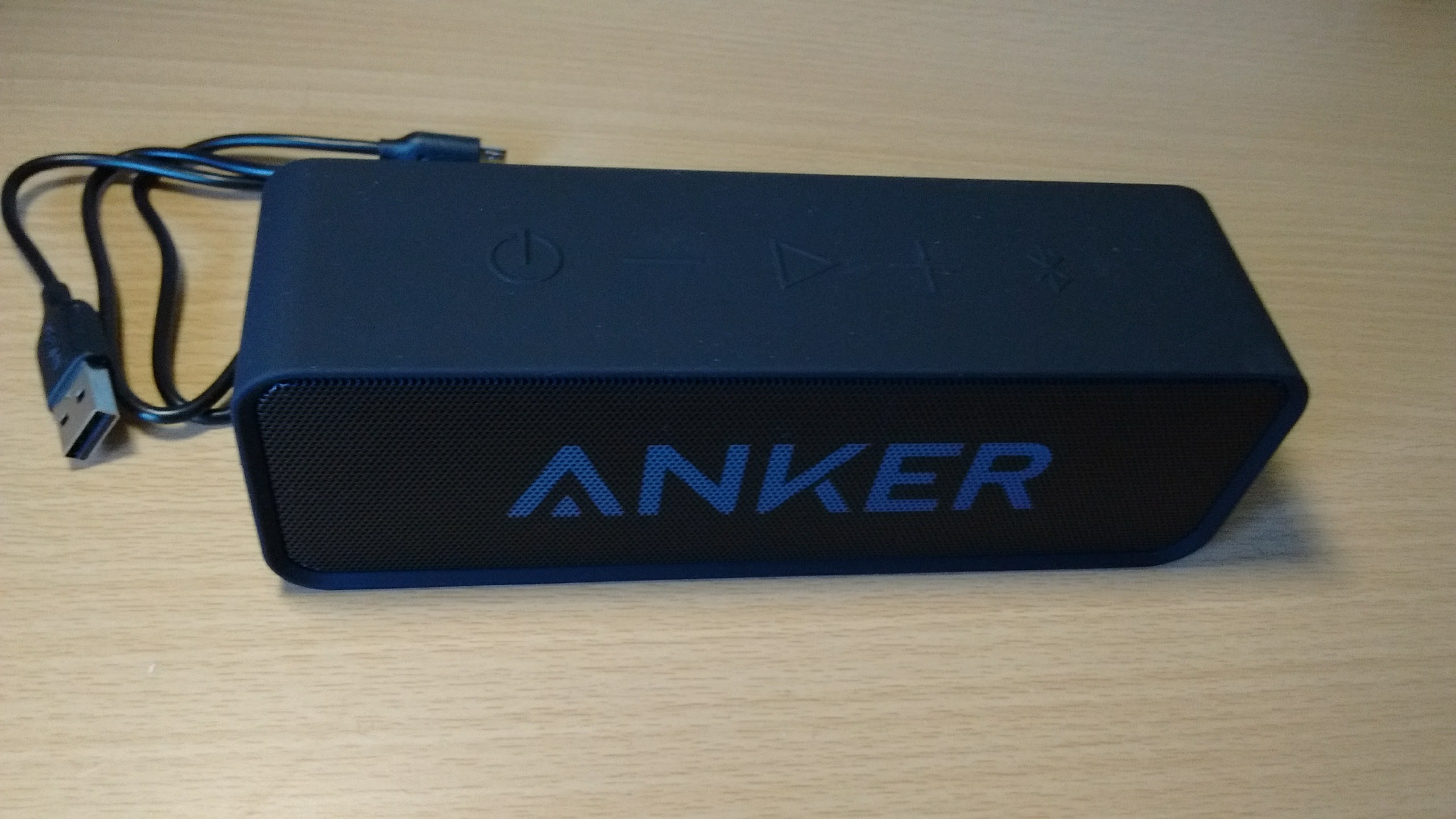
It does come with a micro usb cable which can be used to charge the speaker using a computer or a wall charger with usb ports. You can also use any wall charger with a micro usb plug-in.


But of course, the blue tooth connectivity is the best feature of these speakers, as you don’t need any type of wired connection to use it with another blue tooth capable device! And you can pair many of these speakers with multiple devices, as well. So you can take one of these speakers and play the music files from your laptop through the speaker, and can take the speaker into the bathroom while you shower, or onto the porch or balcony, or into the kitchen, and enjoy great sound!

Do bear in mind, these speakers do have a range and this range varies from speaker to speaker. Mine has a range of 66 feet, which is more than enough for my place, but some have a range of 30 feet, so if you have a mansion, you would want to take this into account.

Also, many of these speakers allow the use of an auxiliary audio cable so you can attach that old, non-blue tooth mp3 player to the speaker and still enjoy great sound!

And, you don’t have to spend a lot to still get a quality speaker. Checking YouTube to see if there are comparisons between the one you are interested in with other well-known brands can help with your research also. So, if you want great sound that you can take with you, think about a blue tooth speaker!

Happy listening!

If you like what you’ve read here, please let others know of this post, blog, and site.

And thanks for reading! Β πŸ™‚


Unknown's avatar

Want to Build and Keep Trust in Your Dealings? Don’t Forget These “Minor” Things!

We’re pretty much aware that, when dealing with people, be it a business deal or casual plans with friends and family, that following through is important. If I sell you a product, I need to give you that product and you need to give me what you said you’d pay for it. If I say I’ll bring the cake to the party, I should bring the cake to the party.

But, something too many of us forget is, communication, particularly when there’s a potential that things may change or go wrong, being ethical, and yes, following through (and be sure you can follow through)! Β These may seem minor, especially the communication part, but they can be just as important for building and keeping trust, as delivering the product itself. Below is an example of a business transaction that I was involved in where all of these things came into play.

Communicate when Things Change Unexpectedly and Be Ethical!

Recently, I was selling an air mattress online. A potential buyer, who we’ll call, ‘Jim‘, called me and said he wanted to buy it, but at $5 less than I was listing it for, which I agreed to. We agreed to meet at a certain time and I thought that this was fine.

I was then texted by a 2nd potential buyer we’ll call, ‘Karen‘. I told Karen that there was a potential buyer in front of her but that I’d let her know if the deal fell through, or if it did go through. In other words, I would let her know either way so she would know where she stood. I also gave her a date by which I would know for sure, just a few days away.

Well, I called Jim to confirm just before our meeting time and he said he was out of town on short notice from his work and couldn’t meet until the next Saturday, which was a day past the date I’d given Karen earlier.

So, I asked him if Saturday was definite and he told me he never works Saturdays and would definitely be available. I did let him know that I had a deadline to give an answer to another buyer so that Jim would know I was holding the item for him. He told me he would be buying the mattress for sure on Saturday.

Having sold things in the past, I knew well that something isn’t sold until the buyer actually and physically picks up the item and gives me the money! Β As far as I was concerned, I wasn’t believing that Jim would be buying the mattress until I would actually meet with Jim and he would pick up the mattress and pay me the money he agreed to pay.

I then contacted Karen again to let her know that Saturday was the new deadline and that it was certain I’d have an answer for her, and I did apologize and explained the situation concerning the first potential buyer. Karen then offered me $5 moreΒ if I went ahead and bypassed Jim and sold it to her, but I told her that I couldn’t do that to Jim as I’d given him my word to wait until Saturday. To Karen’s credit, she said that was fine and she didn’t get mad or surly in any way as many other people would have.

On top of this, a third potential buyer we’ll call ‘Bill‘, texted me and I told him he had two potential buyers in front of him but that I’d let him know by a certain date or earlier for sure on where he stood and would keep him updated.

So, Saturday arrives and I decide to call and confirm again. (Not everyone has the message of this post or will learn from their own experiences, so, unless you know that the person you’re working with is truly reliable and will communicate when needed, confirmation of such things is advisable.)

And lo and behold, when I called him, he tells me he was called to work that Saturday! Now, to Jim’s credit, he did say to go ahead and sell it to someone else, and he did apologize to me.

What I wonder is, would he have told me at all, or would I have ended up at our meeting place, waiting and waiting for someone who never would have shown up?

When sudden changes come up that affect the other party, communicate, communicate, communicate!

Anyway, I contacted Karen and we agreed to a meeting place and she did show up and bought the air mattress, I let Bill know that it had been sold, and all was well.

Photos of my Motorola Moto-e 2nd generation 2015 phone. 4/30/2016

So, in your dealings, do keep everyone who’s supposedly in the loop, in the loop.Β Update everyone in the loop so you don’t hear later, “I never got the memo!”, or something to that effect. If you have a smart phone and you know that everyone else in the loop has one also, it’s even easier to keep everyone updated at any time! Β (Just don’t text while driving. Pull over and park first!)


And, if you tell someone you’ll call them,Β call them! And if you do forget to call them (which we all do from time to time), and they bring it up to you that you didn’t call them when you said you would, please, don’t say to them, “So why didn’t you call me?”, when it wasΒ you who said you’d call them!Β It was your responsibility to call them!

And don’t reserve a time with someone and tell them it’s certain when you know it really isn’t, and if you do reserve a “guaranteed” block of time, for someone,Β try to keep that commitment!Β And if you can’t guarantee a time, then let the other party know that it’s not guaranteed, and agree to a limit as to how long or how many changes they’ll be before letting the other party know that it’s ok for them to move on.

And finally, speaking of ‘reservations’, it should be first come first serve, unless, in a business dealing, you’ve put the ‘deal’ up for bids and have let everyone concerned know. Otherwise, if you have a potential buyer and you’ve agreed to sell it to that buyer at a certain price, don’t dump them if the next potential buyer, who’s arrived after the first buyer, offers you a better price. And the same goes for if you are the buyer and have agreed with the seller to buy something at an agreed price. If another seller jumps in, after said agreement was made, and offers a better deal, go with the first, since you’ve already agreed to buy from the first seller. It’s just plain unethical to do otherwise.

So keep talking! And be ethical! It’s worth it in the long run!

If you like what you’ve read here, please let others know of this post, blog, and site.

And thanks for reading! Β πŸ™‚

Unknown's avatar

Be Sure Your Brain is Running Before You Throw Your Mouth Into Gear!

I once saw a sign at my mother’s workplace that read, “Be sure your brain is running before you throw your mouth into gear.” You can see where I got the title from. Though it was quite an amusing sign, it really rings true.


Close up of window deflector. 5/26/2014

Oftentimes we let emotions and pressures make us say things that we later come to regret. In my own life, I’ve come to see that I fare better when I calm myself down before speaking if I am under pressure or strong emotion. It’s certainly improved my own life and my relationships in general.

Most often, when talking about saying things we come to regret, angry conflicts come to mind. However, it’s not only the argument that can trigger regretful words. It can be other pressures, such as trying to make a sale. One may over promise in order to get a sale that appears to be slipping away.

Later on, the customer may find that what he purchased does not live up to the promises made, and may become an ex-customer as a result. Instead, by taking the time to think, then asking the customer what he is looking for instead of making false promises, the sale may be salvaged and you won’t get an unhappy customer. Even if the sale still falls through, the customer won’t leave feeling that he’s been deceived. An honest disagreement is always better than agreement under false pretenses.

It’s not only in business that thinking before speaking is warranted. We all need to think more before speaking if there’s a possibility that the person we’re speaking to may be extra sensitive to the subject we may be bringing up. You don’t go up to a widow at her husband’s funeral and ask about the two dollars her husband owes you, for instance. It doesn’t mean one should always walk on egg shells or hold back from ever saying anything, just do it at the right time and place and in the right manner, if it really needs to be said.

And thinking doesn’t just apply to speaking. By now, many of us have heard about thinking before sending that email or making that tweet. A few years ago, a reporter flying to another country for an assignment made an inappropriate tweet, which got the reporter fired upon landing.

And sometimes, there’s really no need to say anything in some situations. You’d just be adding your two cents where it really isn’t needed, and it can sometimes cause more trouble than it’s worth.

Another quote I once read said, “A closed mouth gathers no feet.”

Happy talking!

If you like what you’ve read here, please let others know of this post, blog, and site.

And thanks for reading! Β πŸ™‚

Unknown's avatar

Communication is Vital!

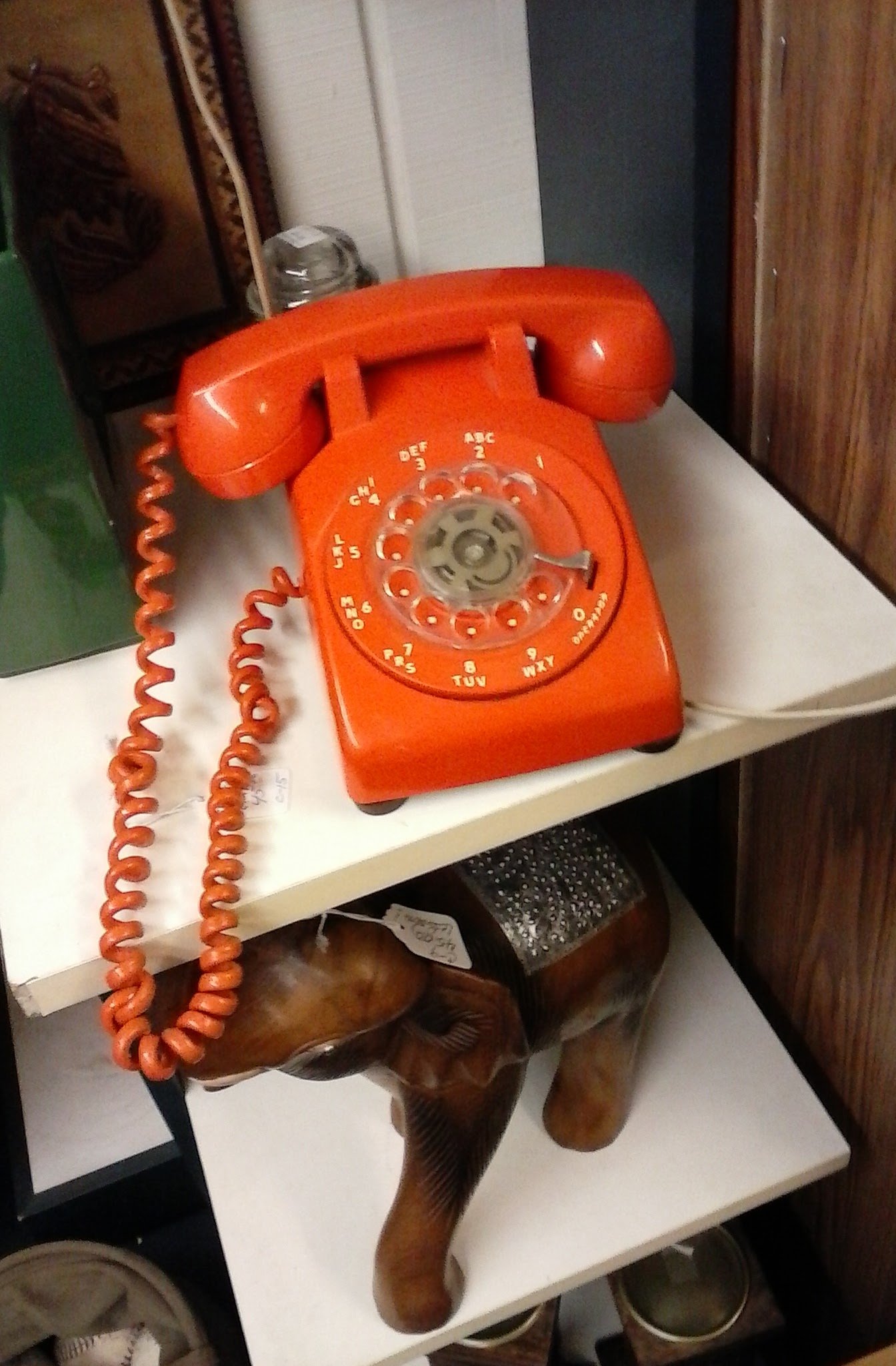
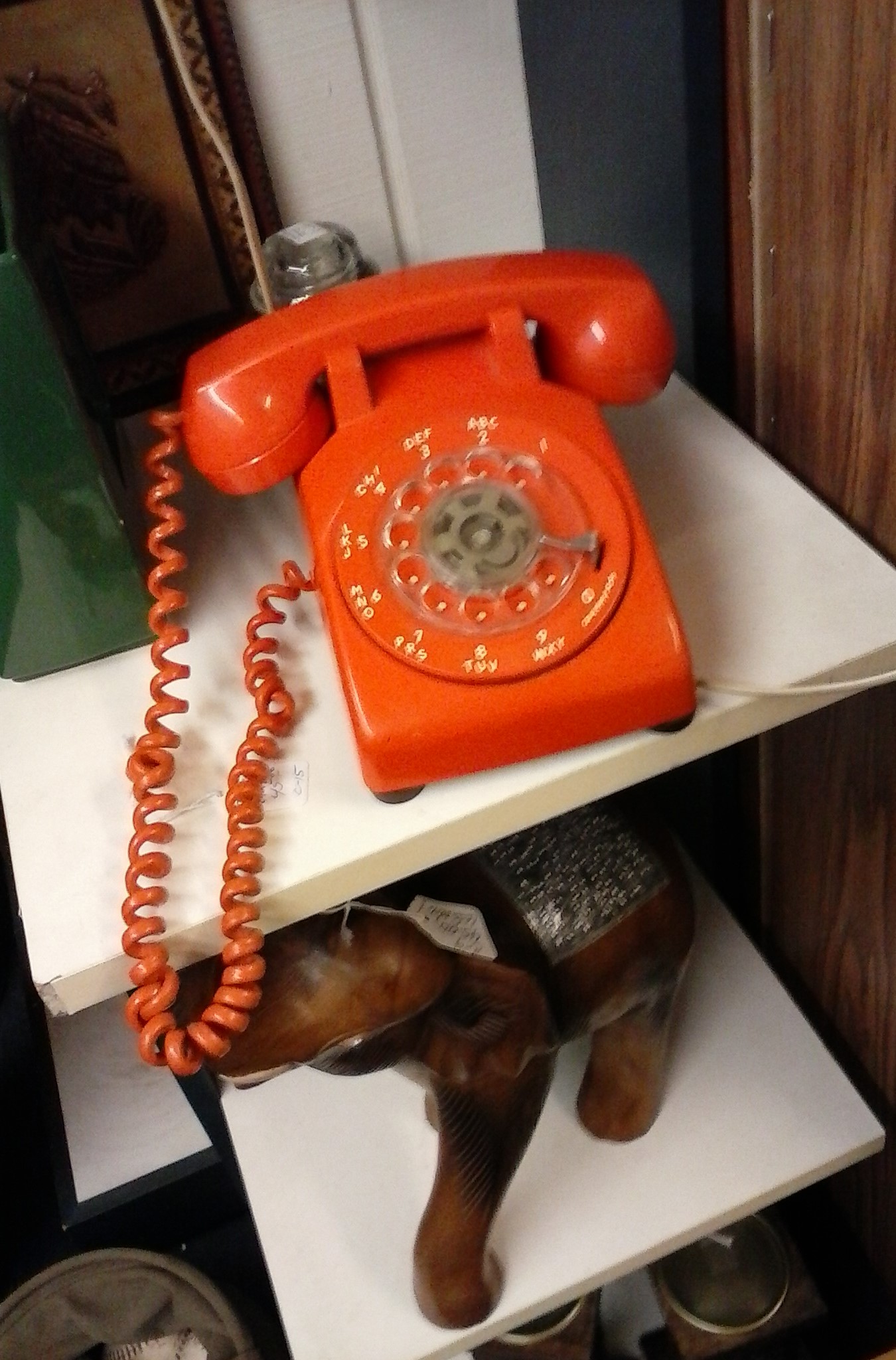
Orange 1970’s vintage phone. Seen at 42nd St Station in PDX. 4/17/2015

Ever have a person or business representative say that they’ll call you right back then they don’t? Yeah, it’s happened to me, too. Truth is, this is one of the big complaints people have regarding communication.

If you’re in business, the best way to keep customers is to get back to them when you say you will. All too often, I hear stories about people who have legitimate questions or complaints be told by a company representative that they’ll be called back within a certain amount of time, then never get the call back at all.

In a way, this is also an integrity issue. But aside from that, communicating with the customer keeps them in the loop and let’s them know where they stand. I know that, for myself, I prefer a call back when I’m told to expect one, even if it’s to say they have no answer yet, to no callback at all. I’m sure most people feel the same way.

Now, this is a two-way street, and also applies to person to person communication, not just business communication. If you tell a friend you’ll call them within a certain time, do it. And, if you are the customer, and you say you’ll call or come by to pick up the package, etc, by a certain time, you’re just as obligated to do so as the business was to call you back if that’s what it said it would do.

So, just don’t promise to communicate or call, then forget. It leaves the other party hanging, and also damages your credibility with them.

Photos of my Motorola Moto-e 2nd generation 2015 phone. 4/30/2016

If you like what you’ve read here, please let others know of this post, blog, and site.

And thanks for reading! Β πŸ™‚

Unknown's avatar

Yes, I Bought a Chromebook!

Well, I finally bought a Chromebook, believe it or not!

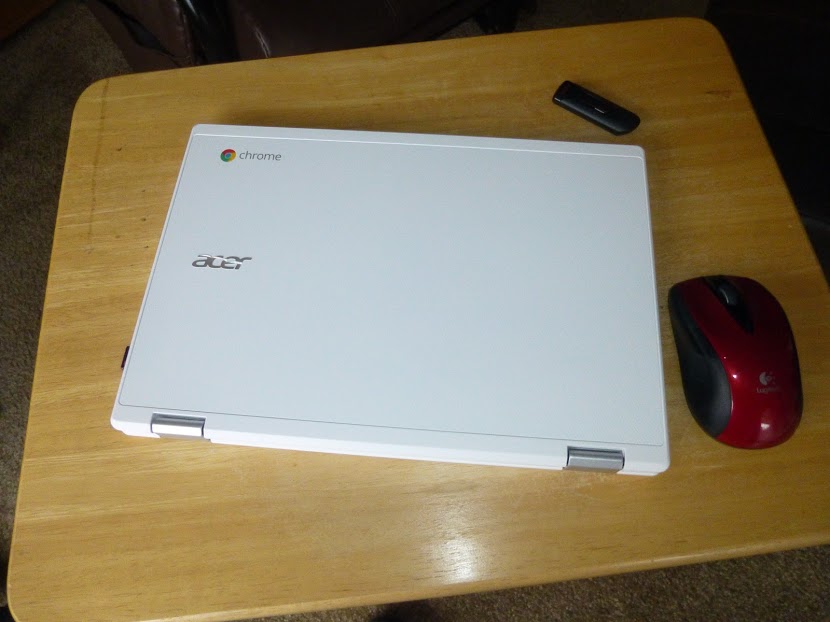
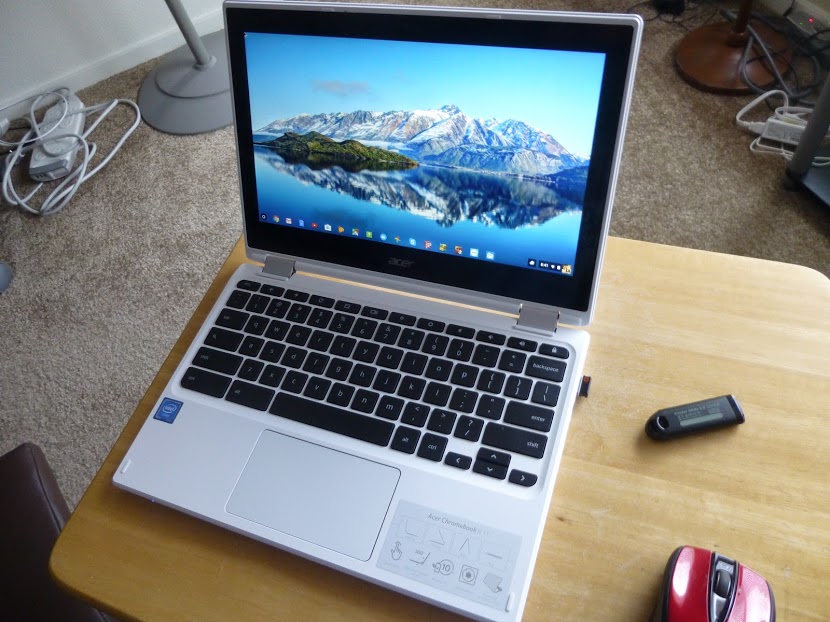
It’s an Acer R-11.

What made me do it? Well, I’d been interested in a Chromebook for a while now, but I hadn’t needed one and also, I was following my own rule of not jumping on a new technology immediately, to avoid the initial bugs, high prices, and lack of additional features inherent in new technologies when they first come out.

But, my netbook, which I use as my backup and travel computer, was getting much slower and I needed a replacement.

So, I did some research as to what was out there, and decided the Chromebook fit the bill. And, finding that there are different ones available, the Acer R-11 looked best to me.

The Pros:

I’ve had the Chromebook for a few months now and it does perform most of the functions that my Windows 10 Laptop does, with some notable exceptions. First, the pros:

  1. It uses a solid state drive. Solid state drives (SSD’s) have no moving parts and don’t require the cooling fans that regular Β hard drives do. So, the computer tends not to have any heat issues, and the operating system (OS) works faster. It will also outlast conventional drives.
  2. Chrome OS works faster than windows and updates itself automatically, without slowing things down as Windows does with it’s “bit by bit” constant updates.
  3. The Chrome OS has built-in anti-virus capability, so I don’t need to install any antivirus programs.
  4. Boots very fast and performs smoothly and quickly. I simply open the lid and it comes on. I then enter my password and it’s ready to go. No loading of this and that as on a Windows PC or laptop. If I’m working on my Windows laptop, and shut down, only to find I’ve forgotten something, I simply go to my Chromebook and can quickly get back to what I wanted to and complete it, sometimes in less time than my Windows laptop can simply boot up. (And it boots up fast as it, too, is fairly new!)
  5. The Chromebook is lighter than my netbook and just as easy to carry.
  6. Chrome OS has been integrated with the Android OS, so I can install apps that I also can install on my Smart Phone!
  7. Any website that can be accessed with a Windows computer can be accessed with a Chromebook. As a matter of fact, you can perform most of the same functions on the internet, such as cutting and pasting, as you can with a Windows computer.
  8. Long battery life. I’ve used skype with the Chromebook for two hour sessions and used less than half the battery. On my Windows laptop, most of the battery would be used in that time frame.

The Cons:Β 

When I first researched Chromebooks just after they came out, I heard and saw cons such as small storage and complicated printing, and limited abilities, I actually thought of them as being “expensive and bulky flash drives”.

But, in taking a second look earlier this year, I’ve seen that they’ve come a long way, and can be far more useful than I thought at one time.

While the OS is different from Windows, and the keyboard and built-in touchpad have a few qualities one must get used to, the Chromebook is not a totally alien machine. For instance, apps can be placed on a task bar, referred to as the “shelf” in Chromebook lingo, and you can attach a mouse or other peripherals via usb as you would on a Windows computer.

Even what I consider the two major cons, printing set-up and lack of storage, I find that they are no longer the show stoppers I thought they once were.

Main cons:

  1. Complicated print set-up.
  2. Inadequate internal storage space.
  3. Inability to work with many Windows programs and software.
  4. Chromebooks are more internet intensive and will run fewer offline programs.
  5. You do need a Google account, but this is free and easy to open. Once open, you can sync the account across devices so you will have the same Chrome homepage, complete with your bookmarks, settings, etc, no matter which device you use to access Chrome or your account.

There are workarounds to the cons, which make the Chromebook quite usable, however.

You still cannot simply plug in a usb cable from your printer and print from a Chromebook. However, if your printer has WiFi or wireless printing or Google print ability, then you can set up your Chromebook for printing. It is a little complicated, and probably requires that you adjust some settings on your printer as well as on your Chromebook, basically making your printer a “network” printer, even though it may be the only one. You may also need your router’s password. And, when printing, you may need to select your printer with the word, “network” in parentheses after it.

Internal storage space on my Chromebook is 32 gigabytes, which is currently at the high end. However, this can be remedied by using an sd card or flash drive for extra storage. Β Also, using such google apps as Google Docs, which store your documents in the cloud, you can also save space.


As for Windows software and apps, Windows software won’t install on a Chromebook, but, the Chromebook does have a word processing program which will open Windows word documents, even if they are on a flash drive or sd card. Also, apps such as Google Docs, can help in this regard, especially since documents created and run on this app can be converted to windows compatible docs and docs can also be made available offline, which also addresses the problem of the Chromebook needing the internet for productivity when internet access is just not available in any form.

The Chromebook also has an app that will open your pictures and videos from a windows computer stored on a flash drive or sd card.

As for music, I have found that music files from Windows Media Player won’t be opened by the Chromebook, but it’s possible that using an app, such as Google Play Music, personal music playlists might be accessible. I haven’t tried this yet so I don’t really know. Of course, music acquired through Google Play will play on the Chromebook.

In fact, with the integration of Android apps, you can add android games and other functions to the Chromebook. Some apps you will find are specifically made for phones and may not perform as they would on a smart phone. But many apps will do just fine on the Chromebook.


So, how do I like my Chromebook so far?


I think it’s great! Sure, there are a few things I still can’t do that I can on my Windows computer, butΒ I can still browse and use apps like YouTube, access accounts like my Craigslist account, and perform other productivity tasks. And by adding apps, I can even play games!

There’s still more to explore on my Chromebook, but so far it has really exceeded my expectations. So, if you’re thinking a Chromebook is just an expensive flash drive, or is too complicated, I once thought so, too, and learned that it’s not. It’s much, much more and nothing to fear, especially if you have used the Chrome browser on your Windows computer. Happy computing!

If you like what you’ve read here, please let others know of this post, blog, and site.

And thanks for reading! Β πŸ™‚


Unknown's avatar

You Don’t Realize How Much You Have Til You Move!

Last November, I moved to a new place and made one big discovery in doing so, one that I think we all make when we move. It’s how much we have. And much of it is stuff we no longer need and maybe never did!


As you can see in the photo, I still have a few things to get rid of. I got rid of a great many things, some by selling them, and others I simply donated as they would have been too much trouble to sell and wouldn’t command a big enough price to go through the trouble of selling them.

It’s amazing, how we think we don’t have much, yet are often slowly accumulating more and more stuff. And I’m not really inclined to impulse purchasing as much as most people are.

Nor am I a pack rat by any means. I’ve known people who were pack rats and when I see their places, I shudder at the idea of what a move for them would be like, and it has helped me to avoid being one.

People who had visited me had often remarked at how open and uncluttered my place looked. But nevertheless, I’d still managed to accumulate lots of things I didn’t need which only added to the burden of moving.

Hopefully, this has taught me a lesson about keeping my own tendencies to accumulate things under better control. Now, part of the problem, and maybe it was a blessing in disguise, is that my new place, which I like better than my old one, does have one flaw. It has less storage space than my old place did, so it helped to force me to be more discriminating as to what to keep and what to give up. It also helped me do better at deciding if I really need something or if I just want it.

I also learned that I don’t need to save so much stuff and keepΒ every book I read, every pamphlet that only looks mildly interesting, or every tool or electrical gizmo I’ve had even though it was replaced with a newer, better one.

And I don’t need to print everything, I can just bookmark it. Now that I have a smart phone, I can even access the info when I’m away from home.

Oh, I still have those impulsive thoughts jump into my head from time to time, where I think I need something or other, but I’ve learned to evaluate the thought more thoroughly now, and I do hope the lesson sticks this time.

If you like what you’ve read here, please let others know of this post, blog, and site.

And thanks for reading! Β πŸ™‚

Me and Mom at Chanticleer Point and Vista House. 9/18/2015


Unknown's avatar

I’m Back!

Me and Mom at Chanticleer Point and Vista House. 9/18/2015

Hi everyone! Just to let you know, I’m back! There still may be contributed posts, and I do want to thank all those who’ve contributed so far. I’ve learned a lot from your posts.

Anyway, I’ve been quite busy since I had to move recently, (Well, actually, last November.) And it does take time to settle in. Also, I’ve learned a few things about the move and also have ventured into Chromebook land. As a matter of fact, I’m using my new chromebook to write this post. I’ll be back to writing and submitting posts and hope you’ll read them.

As always,

if you like what you’ve read here, please let others know of this post, blog, and site.

And thanks for reading! Β πŸ™‚

Unknown's avatar

Just To Let You Know…

Just to let you know, you may see some new posts written by other authors from time to time in the future. Please know that these posts will continue to reflect the character of this site as well as bringing perspectives other than my own to this blog. I’m sure you’ll find them as informative and enjoyable as the ones I have written and will continue to write.

And again, thanks for reading! πŸ™‚