Unknown's avatar

Identity Theft: Prevention Techniques For Businesses

It seems like the world of business is constantly being attacked with identity theft issues. How often do we see the story of a company-wide hack in the news? How often are we told to change our passwords because gigantic companies have put our data in disarray? Unfortunately, security is becoming even harder to guarantee in today’s digital world. Identity theft can cause a business to shut down for good, so you need to do everything in your power to prevent it.

Let’s take a look at a few prevention techniques.

identity-theft

Link 1 (NY – http://nyphotographic.com/)

Ultra-Secure Passwords

For years, we’ve been told over and over about the need for secure passwords. Some of us take it seriously, while others brush it off as needless worry. Those who fall into the former category are doing the right thing. Hackers will try to break your passwords, and they’ll have an easy time if it’s a simple one. Plenty of tools are their disposal in the process, so breaking a short and simple code can be done in minutes. Always protect your passwords thoroughly.

Document Protection

As a business, you’re often required to store confidential data about your customers. Unfortunately, every bit of data you collect puts your business at greater risk. If you were to lose those documents, important data could get into the wrong hands. In addition to protecting it thoroughly, you need to think about how you store that data. Once it’s no longer valid, equipment like Intimus shredders can help to destroy it for good.

computer-767784_960_720

Link 2

Put Policies In Place

The reason why many instances of identity theft are caused by the policies of a business. We’ve heard of documents being left on trains and insiders leaking information in famous instances. Ultimately, with efficient business policies, this sort of thing shouldn’t happen. So, make sure your employees understand the rules surrounding data protection. Only provide access to those who are both trustworthy and need access for their roles.

Use Encryption

There are some business owners out there who believe that encryption is an unnecessary concern. Again, that’s a myth that should be resigned to the past. Digital safety is getting harder and harder to achieve all the time, so we need to go the extra mile. Encrypting our passwords and business transactions can prevent a catastrophic incident. Even if the criminal still gets access to the data, it’ll hopefully prevent them from using it.

castle-1086898_960_720

Link 3

Keep Your IT Systems Up To Date

It’s an obvious point, but keeping your IT systems up to date is a must-mention topic. Not only should you be thinking about antivirus and firewalls, but OS updates as well. Your internal IT use policy should be in place to protect the business from criminal activity online. If you’re unsure about how to go about this, bring in the experts from outside the company. Get them to do an audit of your systems, and they’ll quickly identify any issues to be concerned about.

We’re about to hit 2017, and there has never been a more important time to think about identity theft. It’s becoming more prominent, so we need to protect our businesses as best we can.

Contributed Post.

If you like what you’ve read here, please let others know of this post, blog, and site.

And thanks for reading!  🙂

Unknown's avatar

Which Gadgets Do You Want From Santa This Season? For Him And For Her

It seems like every year is a big year for the gadget. But this year is apparently even bigger. The excitement began back in January when we saw some incredible products on show at CES. Now some of those products have made it to market, and we’re enjoying the results. The question now is which tech gifts are on everybody’s list this year as we approach the holiday season?

As always the competition is ramping up, and companies are trying to put their best foot forward. So in amongst all the noise, what are this year’s must-have gadgets for him and for her?

Smartwatch

A few years back we all thought that Pebble would be the company to go up against the mighty Apple in this space. But it hasn’t worked out quite that way. Instead, we’ve seen the rise of another company, Fitbit, trying to get in on the act. Fitbit’s target market is the lower end of the market. Their objective is to make wearables accessible by all, including on price.

In 2016, their angle is fitness. They’re creating watches that monitor things like heart rate, distance travelled and calories burned. On top of that, the Fitbit devices also allow you to receive texts to your wrist at a glance. Whether people will like the relatively cheap build quality remains to be seen. But being just under £100/$123 can they complain?

A Replacement For Siri

600px-siri_icon-svg

Wikimedia Commons

Artificial intelligence is going to become big business. In fact, if people like Google’s Director of Engineering are to be believed, it’s going to transform life as we know it. Today AI is in a good place, and now we finally have a replacement for Siri, by Amazon of all people. Siri was first introduced over five years ago now. And when it came out, it was fun, but hopelessly brittle if you wanted to ask it anything complicated. Today’s AI is vastly more powerful, thanks mainly to all the data that’s been collected through the internet and other devices. Amazon has decided to bring this AI into the home. But instead of putting it on a phone or a watch, they’ve put it in a sort of standing speaker. It’s called the Amazon Echo, and it’s doing the rounds on TV advertising right now. It’s an elegant looking device that you can ask questions in natural language. On first impressions, it seems a little gimmicky. But the reviews so far have been overwhelmingly positive. Is this something that could really work?

You can ask you echo what the weather is going to be like tomorrow. You can also ask it what the traffic will be like on your way to work and to play your favourite music. And you do all this with just a voice command. The Echo also connected to smart devices in your home. If you happen to have smart lighting, you can ask echo to turn the lights off for you. No more having to dust off the Dorito crumbs from your chest, heave yourself off the couch and walk over to the switch.

The Echo comes in at around £150/$184.

Virtual Reality Headsets Just Went Viral

vr-911031_960_720

Pixabay

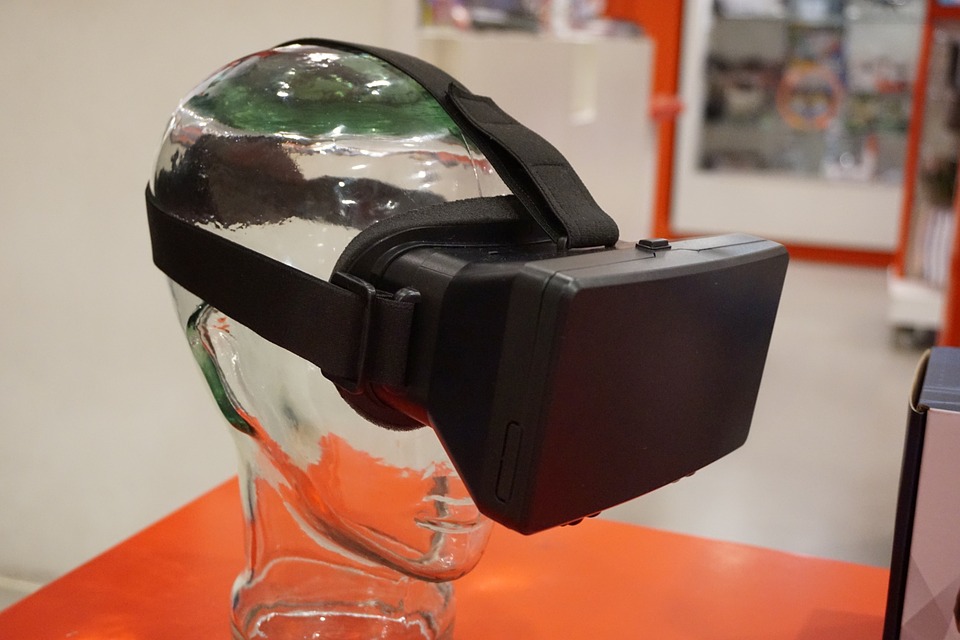
Virtual reality is another one of those technologies that remind us that we’re already living in the Star Trek universe. This year VR officially launched, with Google, Facebook, Samsung and HTC all getting in on the act. What’s more, consumers have got a big choice of what kind of VR headset they want. Do you want something that’ll just do the job? If so, the Samsung Gear VR will do the job at around £50/$62. Or do you want something where you can play the latest titles in high fidelity? If so, you might want to go for the Facebook’s Oculus Rift or the HTC Vive. Prices for these range between £450/$555 and £600/$740.

Be warned, though, these are the first iteration of VR products that we’ve seen. As such, they haven’t yet had time to mature into fully fledged, mature products. Expect glitches and problems. With that said, we’re living in exciting times. With VR, humans can for the first time live in virtual worlds with all the sights and sounds that accompany them.

The New Binge Watching Game-Changer

1024_firetvstick-5451

Wikimedia Commons

It was only a handful of years ago when people boasted about binge watching their “box sets.” The DVD box set was the way that most of us consumed our favourite series and dramas. But with the march of technology, that’s all changed. New streaming business models have meant that we can binge watch our favourite content, all with the help of a simple stick that plugs into our TV. Amazon again is leading the charge. But there are other services like Now TV and even Chromecast that are competing in the space. Finally, we can escape the banality of regular TV and just get to the good stuff. Game of Thrones anyone?

Bluetooth Speakers That Look Like Owls

If you’re struggling to find tech gifts for her this season, Bluetooth speakers might be the answer to your prayers. Bluetooth speakers have developed enormously this year. They’re no longer built inside sleek, deliberately techie shells. Now they come in all sorts of designs specifically with her in mind. This type of thing always happens when a technology matures. The stuff that actually makes the technology work becomes a sideshow. Suddenly the main event is in the design of the speakers themselves and how appealing they are. This year, we’ve seen lots of funky designs, specifically targeting women. You can pick up a high-quality Bluetooth speaker for around £130.

A High-Tech Safety Net For Your Home

It was only a matter of time before the insides of our homes got their own security camera systems. If you’ve always loved the idea of monitoring your home 24 hours a day, 7 days a week, you’ve got more choice than ever before. For instance, companies like Nest are releasing cameras that you can set up in your home that connect to your other devices. The principle is simple really. Plug the devices into the wall, connect them to your WiFi and then control them from your phone or computer. You can watch live streams of your home in real-time, get alerts if motion is detected and play alarms if you see an intruder. Even stranger, you can actually talk to intruders through speakers on Nest devices and politely ask them not to steal all your stuff.

Of course, the main benefit of these devices is for pet owners with needy pets. If you’ve got a pooch who just can’t stand to be without you, you can talk to them while you’re out at work. Hopefully, that’ll stop them from tearing up your house in distress.

Robots That Do The Chores

3533146556_c3ae3f1340_n

Flickr

This year we saw a robot that had learned how to fold clothes. It was an impressive feat and showed just how much robot technology had improved. Giving a robot the level of dexterity needed to fold clothes was unthinkable in the past. But today it’s happening, and we’ll probably see consumer versions soon.  

Meanwhile, we’ll have to make do with less impressive, but still helpful robot vacuums. This year we’re likely to see more robot vacuums being bought as Christmas gifts. And why not? The iRobot from Roomba has a bunch of useful features designed to make domestic life more blissful. It comes with tech that helps it avoid falling down the stairs. And you can also programme it to do the cleaning while you’re out of the house. It’ll set you back a bit, though. These are selling for £650/$800 plus right now.

Roomba isn’t the only cleaning bot in town – contrary to popular opinion. There’s another robot that has been doing the rounds too. It’s called the Grillbot. And it’s makers claim that it will automatically clean your grill, like the iRobot, without you having to use any elbow grease. When you think about it, the Grillbot is a clever product. Most people can stomach vacuuming. It’s boring, but at least it isn’t difficult, especially if you go cordless. But there’s no way to make cleaning the grill easy. This year, we’re likely to see many happy people getting Grillbots and finally freeing them from the chore of scrubbing. It’s a gift for dads everywhere – and relatively cheap too. You can pick one of these up for around £55/$68.

Bluetooth Toothbrushes

What’s the purpose of a Bluetooth toothbrush, other than to turn your teeth blue? Nobody’s quite sure. But if you want a toothbrush that connects wirelessly to your other devices this year, Oral-B has made one.

Curvy TVs With Smart Tech

There’s a debate raging right now in the tech community concerning whether curved TVs are really worth it? Do they even make sense? Well, did Furbies make sense? Did Pokemon Go make sense? If you want to splash out on a curved TV, for the love of the fact that it’s curved, why not? It’s your holiday season.

Contributed Post.

If you like what you’ve read here, please let others know of this post, blog, and site.

And thanks for reading!  🙂

Unknown's avatar

Technology In Business: How To Avoid Common Entrepreneurial Errors

Even the biggest technophobe can appreciate the array of benefits that modern tech can bring to their company. The business world is now more reliant on digital communications and facilities than ever before. Consequently, failure to embrace that connection will see your venture left behind.

The vast majority of modern businesses now utilize computers and modern tech in some shape or form. However, very few unlock the full capabilities of those systems. In many cases, it’s the simple mistakes that come back to haunt a venture.

Avoiding those should be top of your to-do list. Here’s what you need to look out for.

computers-332238_960_720

Image:

Getting Lost In The Crowd

With over one billion active websites in existence, it’s no surprise that so many companies struggle to make their mark. In many cases, it’s not through shortcomings of the business website. Instead, it’s through a lack of presence on other platforms.

For example, there’s more to Google than Gmail. Learning to make the most of this platform through Apps, advertising, and SEO can only boost your levels of success. Similarly, YouTube and social media can become fantastic resources for boosting your presence.

Both brand awareness and sales figures will struggle if you don’t maximize those capabilities. In fact, these elements should also influence offline ventures. If that isn’t an incentive to work harder in this area, what will?

Downtime

Computers and modern tech aren’t only used for selling and customer relationships. They also play an integral role in the workflow and productivity of the entire venture. If your systems are down, you’re essentially shutting vast sections of the business down until a solution is found.

For most SMEs, outsourced IT support is the best way to avoid those problems. Professional services like SKYE Technologies will give your systems the best chance of remaining active on a 24/7 basis. Perhaps more importantly, those experts can find quick solutions for when problems do occur.

keyboard-621830_960_720

Image:

Those systems won’t serve any purpose if they aren’t working. Quite frankly, this would be one of the biggest sins that you’ll ever make in business. Go the extra mile to ensure that they’re continuously up and running in style. You will not regret it.

Poor Security

The growing importance of computer facilities does arguably make them more vulnerable than ever.  Hackers and fraudsters are a common threat, and you must not ignore them. After all, just one breach of data protection could cause major damage to the reputation of your business.

It’s imperative that your systems are protected by firewalls, antivirus software, and other features. Likewise, choosing the right host and e-commerce systems for your company website is vital. If the customers cannot trust your services, they will not use them. It really is that simple.

Apart from anything else, repairing the damage will consume more time and money than getting it right in the first place. Running a business brings responsibilities, and this is one of the most important. Given that this will put your mind at greater ease too, perfecting those security elements should be top of the agenda.

Contributed Post.

If you like what you’ve read here, please let others know of this post, blog, and site.

And thanks for reading!  🙂

Unknown's avatar

More to Google than just Gmail and Googling

With my use of Google Chrome and now my having a smart phone, I’ve learned that there’s more to Google than just Gmail and Googling people and things.

Google has a lot of different applications, or “apps”, as you often hear.

In addition to Gmail, these include Google maps, play music, play movies, play books, play games, play newsstand, Google plus, hangouts, docs, YouTube, Google drive, and calendar.

These often come as a package on Android phones as does the Google Play Store, where these and a great many other apps can be found, many of which are completely free to download and use!

And, you don’t need an Android smart phone to access the Google apps or the play store.

The Chrome Web browser can be installed for free onto any computer. And of course, you can access all the Google apps from here, though you can set the Google search bar page as a home page or bookmark or favorite using any browser.

I haven’t explored all the apps but I am exploring more all the time.

For instance, I’m using Google Docs to write this post. It’s the first time I’m using Google Docs to write a post. In addition, I’m writing this on my phone!

Google Drive saves documents and other things to the “cloud”, that is, on the web in your own section,so you can access them from any computer using your Google account.

Google plus and Google Hangouts let you connect with other Google users.

Google Play music gets you access to music from your favorite artists and music genres, and you can create your own playlists, though I still need to figure out some things about that. I do find that it won’t play music stored on my phone’s SD card, only music on the phone’s internal memory. If any of you know how to get Google Play music to recognize the music on my SD card, please let me know.

Google maps is great, especially when your Garmin or tom-tom fails, as I’ve mentioned in my earlier post, Garmin or Google-Which is Best? , comparing Google maps to Garmin.

Google maps also will guide you using real-time traffic, can show your movement, and the street view ability combined with the ability to virtually “walk around” a location, really helps you to recognize the physical location when you get close to it!

Then you have You Tube. It is part of the Google family, and you can see all kinds of things on it, from old movies to people’s travel videos, to car and house tours and reviews, to videos that show you how to do all kinds of things from how to tie knots to driving a stick shift car to basket weaving!

Finally, there’s the Google Play store, which not only gets you access to Google apps, but many others as well, and many are free to download and use! So far, I’ve never had the need for an app that wasn’t free! And I have lots of them. As they say, “There’s an app for that.”

Now, where your phone is concerned, you do need a data plan and you need to see how much data an app draws, as some, like You Tube, will use more data. Most apps don’t use a lot, but it’s good to know. To give you an idea, I get 3 gigabytes of data monthly with my plan and use between 1.5 and 2 GB per month.

I’ve seen how useful both the Google apps and other apps can be, and it seems Google is the best place to start checking them out.

So, get Googling and have some fun!

If you like what you’ve read here, please let others know of this post, blog, and site.

And thanks for reading!😀

Unknown's avatar

So, I Did Have To Get A New Phone, And It’s Great!

Well, in my earlier post, “Smartphone Not Acting Right? Don’t Ditch It Yet!”, I explained how a problem with your phone doesn’t always mean it has to be ditched and replaced, and how it seemed that was the case with mine.

Well, it turns that my phone’s problem did persist even after a factory reset, so I ultimately needed a new phone. But, it isn’t all bad. The new phone I got? One of those new I-Phones or Samsung Galaxies for $500-$700 ? No!

I got a Motorola Moto-e 2nd generation 2015. And I’m really satisfied with it.

Photos of my Motorola Moto-e 2nd generation 2015 phone. 4/30/2016

Photos of my Motorola Moto-e 2nd generation 2015 phone. 4/30/2016

And I did well for the pricing, again, too! I paid $89 at the Verizon store instead of the $119-$149 shown on the web.

And I kept my current “Paygo” plan as well with no price increase ($45 monthly for unlimited talk, text, and now, 3GB of data!)

The phone itself? It is bigger than my LG Optimus Zone 2 was, and so I did need to get a new case for it, and also a new way of carrying it on me, and no local stores carried anything for this phone. One thing I’ve learned with both my smart phones is, stores mainly carry cases for the high-end level (Read: More Expensive) I-Phones and Samsung Galaxy phones as well as a few other high end phones of a few other brands. Your best bet for a phone case is to go online and get one from Amazon, Ebay, or any other online store, as they will have a much wider selection. There are also other good sources of accessories such as Mobile Mob. I found a case for my old phone on Amazon and Amazon is where I found my current case, which came with a clip on holder which works really well, so I don’t have to try to fit the phone in my pocket or try to find a camera or other type of carrying case or pouch that the phone will fit in.

Fortunately, this phone is still a good deal smaller than the large Samsung and I-Phones so is still easier for me to carry, and yet is large enough for me to see things on the screen more clearly than on my previous phone.

This phone also has the latest edition of Android, which is called “Lollipop”. It has 1 GB of RAM, twice what my old phone had, and 2,390 units of battery storage, about 40% more than my previous phone, so this phone has a much better standby battery life and loads pages and installs apps much faster than my old phone did.

It also comes with the full suite of Google apps, some of which I’m finding to be very useful.

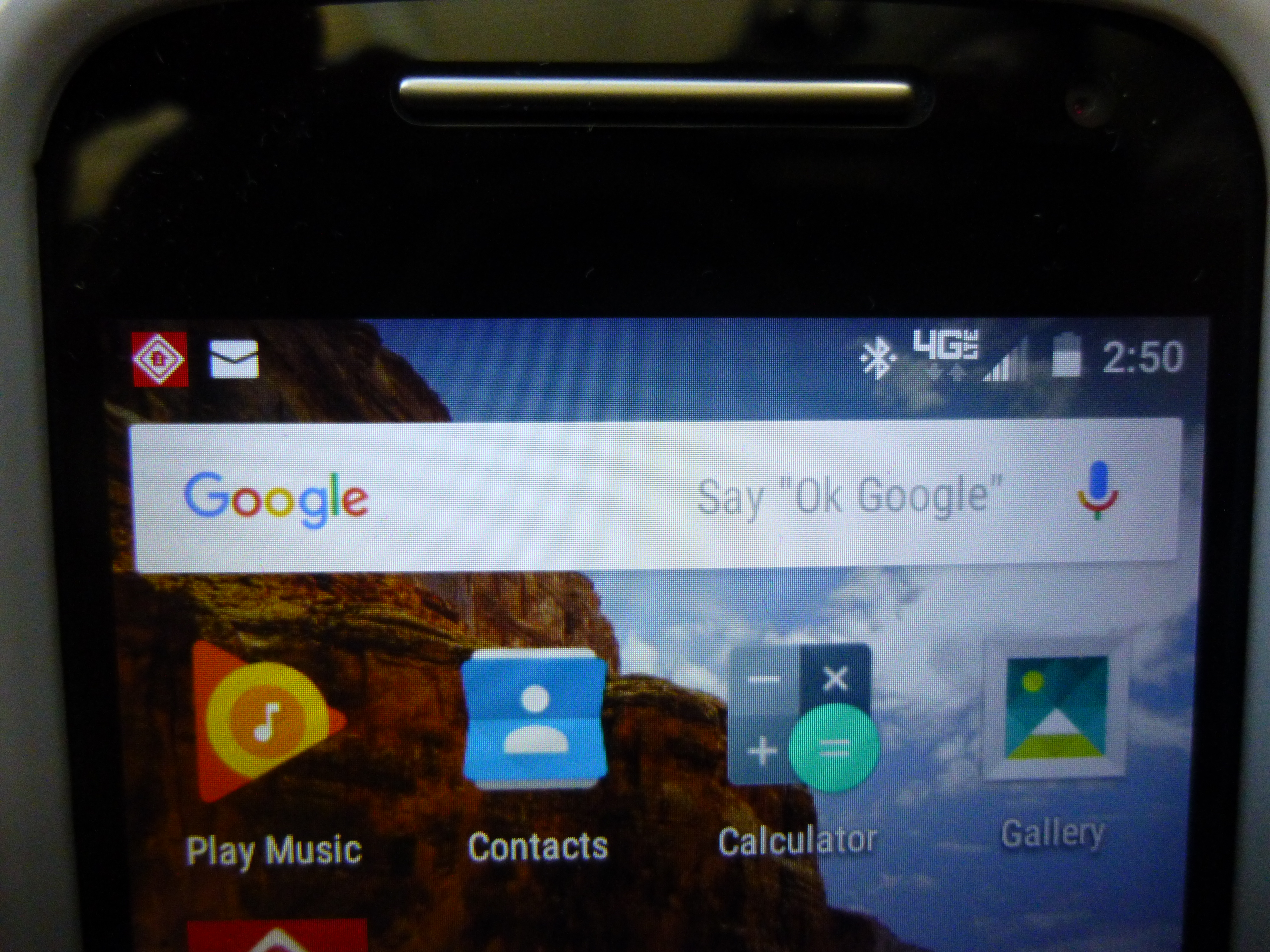
Google Search Bar with Voice Activation. Photos of my Motorola Moto-e 2nd generation 2015 phone. 4/30/2016

Google Search Bar with Voice Activation. Photos of my Motorola Moto-e 2nd generation 2015 phone. 4/30/2016

The Google Search bar pictured here, is voice activated and will do searches and also activate the Google Maps gps function just by voice alone. All I have to do to get it to listen is to say, “Ok Google”, just as it says. It will say that it is listening. Then, as an example, I can say, “Take me to 123 Somestreet”, and it will turn on the GPS feature and take me there, and it will recognize places that Garmin won’t. My old phone had this, too, but I hadn’t yet tried to use it.

Next, it also has a better camera and both front and back facing lenses so I can take selfies if I wish or make video calls.

So far, this phone has worked really well and I’m getting used to how it works, as it does do some things differently, and makes different sounds, than my previous phone, which was an LG.

But all in all, I am really enjoying this phone and still learning more about what it can do.

So, even if you do have to ditch your current cell phone, it can lead to a better phone and without a great cost besides!

Happy phoning!

If you like what you’ve read here, please let others know of this post, blog, and site.

And thanks for reading!  🙂
Unknown's avatar

Smartphone Not Acting Right? Don’t Ditch It Yet!

Hi everyone! And a Happy Easter to all of you! If your smartphone starts acting up, all may not be lost, though it may take a factory reset to make things right.

A factory reset? So I’ll have to re-type all my contacts and download all my apps again? Time to get a new phone?

Well, not necessarily. It all depends, but one rule to always follow is:

If your phone is acting up and you can’t figure it out, go to your provider store and ask for help first! No need to pay for another phone if you don;t have to!

Of course, everyone’s case is unique, but, here’s what happened with my phone over the last week.

My battery started discharging faster than normal to the point where I had to charge it up each morning and night. Well, I hadn’t changed my usage patterns nor did I download any new apps or anything else that would have gobbled up extra battery power.

I then checked my settings, including the battery usage to see if anything stood out as suddenly developing an enlarged appetite for battery power, but nothing stood out as such.

By the way, it’s a very good idea to get familiar with the settings of your phone, and any other similar electrical device, like your computer or car. This can help you greatly when you need to find out what is causing a problem, and can help those who are helping you as well.

So, not being able to pinpoint the problem, I went to my provider store, in this case, Verizon Wireless, and they were very helpful. I told them what I’d checked and they did some checking of my phone and suggested that it might be the battery, so I went to the battery shop and got a new one, being sure to hang onto my receipt and not discarding the old battery.

I charged the phone with the new battery that night and the next morning, it had drained as much as my old battery was now doing, so I saw that it was not the old battery but the phone itself that had a problem.

But it was not yet time to ditch the phone. Verizon Wireless had one more thing to try, and that was a factory reset. This erases everything on the phone and resets it so it would be in the same condition as when it was first taken out of the box. Again, the staff was very helpful in showing me how to save my contacts, photos, and many of my apps using my Google account, and it worked. They also helped me through the reset, and setup afterwords, which only took a few minutes. My contacts came back as did most of my apps and photos. I’d made a list of my apps so that I knew which ones to re-install using the Google Play Store.

So, what was wrong? They weren’t sure but they did say that sometimes phones will do strange things after a software update and that the factory reset is a last resort fix.

Luckily, the factory reset is not as scary as it may seem at first. And all the help was free.

And best of all, in my case, it seems to have worked, I was able to return the new battery and get my money back, and my phone is working good as new again. And I’m glad because I really like my current phone!

So, do become more familiar with your phone, learn how to save your contacts, and don’t ditch your phone at the first sign of trouble!

Happy calling!

If you like what you’ve read here, please let others know of this post, blog, and site.

And thanks for reading!  🙂