Unknown's avatar

4 Tips to Consider When Choosing a Business Cell Phone

Photo by bruce mars on Unsplash

If you’re looking for a new business cell phone, there’s no doubt that the selection can be overwhelming. From the phones to the plans to the devices themselves, there are so many things to consider. Here are some tips for choosing a business cell phone based on what you need most as a professional: 

Consider rate plan for your business

When you’re looking for a cell phone for your business, it’s important to think about the rate plan. A good rate plan can save you money while giving you the flexibility you need.

If you have a small business and only need one or two lines, then it may make sense to go with a single line that doesn’t require a contract. However, if you have more than five employees, then it may be worth looking into plans that allow multiple lines or unlimited minutes.

Consider the phone carriers and their plans.

One of the best ways to make sure your business is running smoothly is to have a good plan for your cell phone. While you may have a personal phone that you use, it’s important to have one specifically for business purposes. A carrier has plans that are designed specifically for businesses, so you can get the best deal possible. 

Alternatively you can use phone only companies similar to these degoogled phones. This gives you the flexibility of choosing a plan that is right for your businesses without the restrictions. 

Family plans can your business to save money

If you’re a small business owner, a family plan can help you stay connected and save money. If your company is more than one person, but not yet big enough to be considered an actual “family” (it’s just the two of you), then it’s worth asking your provider if they can offer a family plan that isn’t just for families. A good cell phone provider will know if their current offerings are best suited to large or small businesses by examining your customer profile:

If the majority of your employees work from home and don’t need services like international calling or roaming—because they’re already in front of their computers—you’ll probably want a single-line plan with unlimited talk and text only.

Do your price comparisons before committing to anything.

Before you sign up for a plan, compare the prices of different carriers. If you’re looking at cell phone service providers as part of your business strategy, it’s worth doing some research to see if another provider can offer better value.Also compare plans—is one carrier offering a better deal on data than another? Are there features that are included in one plan but not another?

Also compare phones—does the carrier have any promotional deals on the phone you want? Is there an option for upgrading or downgrading after signing up for a contract? Finally, consider coverage areas. All carriers will tell you how good their coverage is in your area, but some companies’ networks may be better suited to traveling through rural areas than others’

Get the most out of your business phone

Using your business cell phone as an organization tool can help you in many ways. The first is that it allows you to keep track of where your employees are at any given time. This is especially important if they are out in the field doing maintenance work or other tasks that require them to be in different locations throughout the day. If you know where each employee is and what they are working on, then you will be able to plan for any disruptions that may occur during the day because of their absence.

The second benefit of using a business cell phone as an organizational tool is that it allows you to communicate with your employees quickly and easily. If an employee has questions about a project, then they can simply text or call their manager without having to wait until they get back into the office at the end of the day. This saves both time and money because there are no long meetings involved in answering their questions and solving any issues that arise during their shift.

Contributed Post.

If you like what you’ve read here, please let others know of this post, blog, and site.

And thanks for reading!  🙂

Unknown's avatar

The Best Gadgets To Improve Your Smartphone Experience

Most people nowadays have a smartphone. But, as you know, your smartphone is more than just a phone. It can do so much more than phone or text people. It can be described as a small, handheld computer in its own right.

Smartphones, especially the higher model devices, can cost hundreds or even thousands of dollars. It makes sense, therefore, that you’d want to get the most out of your smartphone. One way to do this is by learning how to use it properly

Rather than only using your smartphone to phone or text people, you can use it as a personal planner. You can also play games on your phone and browse the internet. More and more software is being developed and released to help people to use their smartphones to the full.

Image Credit.

As well as software, such as apps, you can also use hardware. Hardware, such as gadgets or other phone peripherals can be linked to your phone and help you to get even more use out of your device. You can also use some of these gadgets with your tablet or even your laptop or computer. 

Headphones and Earphones

If you’re a fan of music, then the chances are that you use headphones or earphones to enjoy your favorite tunes. However, there is a whole host of different designs for you to choose from, and each one suits different people and purposes. 

For example, if you primarily listen to music, then you might want something with good sound quality and bass. However, some people prefer to listen to podcasts or audiobooks, which don’t require such a wide range of frequencies or as rich a sound. 

True, it’s good to get the best product that you can afford, but there’s no need to get something that you don’t need. There are other things to consider as well. First, should you go for headphones or earphones?

Headphones are small loudspeakers that sit outside your ears. They are often designed with a headband that goes over the head, but some headphones are supported in different ways. Headphones often have superior sound quality, but they’re usually more expensive and less portable than earphones.

Image Credit.

Earphones sit inside the ear itself and are far more discreet than headphones. They can be very cheap, but expect to pay more for better sound quality. Some earphones are fairly comfortable, light, and very portable, but some people do struggle to fit the earphones in their ear canals, which can lead to discomfort or the earphone falling out.

Another thing to consider is whether you want to get wired or wireless headphones or earphones. Most modern smartphones don’t have a headphone jack, which means that you need an adaptor for wired devices. The wires can also get tangled or restrict movement. 

However, wireless headphones depend on battery power and a connection to your phone, meaning that they might not be as reliable in every situation. They’re also often more expensive and tend to have inferior sound quality than wired alternatives, as the sound has to be compressed. 

Finally, you should consider whether you need a microphone attachment, which would turn your headphones or earphones into a headset. This is great for people who work on the go, or who want to take calls and keep them more private. It pays to choose carefully when picking out headphones or earphones, especially if you use them a lot. 

Smartwatches

Another smartphone periphery is the smartwatch, which has a whole host of useful features. To start with, smartwatches are undeniably stylish, and you can switch out your smartwatch strap to change how it looks. 

The most obvious use of a smartwatch is as a timekeeper. Like any other watch, you can quickly and conveniently check the time and date on your smartwatch without digging out your phone. You can also set alarms and timers.

However, a smartwatch really shines when you link it to your phone. You can use it to check your messages and even quickly reply. You can also make and receive calls using your smartwatch, which is handy when your phone is elsewhere.

One of the most useful abilities of a smartwatch is the fact that you can check your pulse rate and keep track of your steps. Your smartwatch can be a handy fitness aid, helping you to keep on top of your fitness goals and make sure that you maintain a healthy lifestyle.

This is just scratching the surface of the many uses of your smartwatch. Like your phone, your smartwatch is an intelligent device, much like a mini computer strapped to your wrist. Check out some apple watch tips to learn how to get the most bang for your buck out of your smartwatch. 

Other Accessories

Some smartphone accessories don’t connect to your phone electronically, but they definitely make it more usable. For example, a smartphone case keeps your phone safe. The case can also be decorative, making it so that your phone stands out and you can easily spot it.

It’s sadly easy to drop your smartphone, which can be an expensive mistake if it’s unprotected. However, by getting a good phone case and a screen protector, you can avoid cracked screens and scuffed phones. 

Phone stands are also handy devices, especially if you use your phone to give yourself directions when you’re driving. The stand positions your phone so that you can easily see the map while keeping your eyes on the road. You can also use phone stands when you’re making video calls, so you can keep your phone steady while you talk. 

You will also need phone chargers and adaptors to get the full use out of your phone. If you want to use wired headphones or an AUX cable in a car, then you will need an adaptor for modern phones. Extra chargers always come in handy, and you can even use wireless chargers for easy accessibility. 

With the right gadgets, peripherals, and accessories, your smartphone can be even more handy.

Contributed Post.

If you like what you’ve read here, please let others know of this post, blog, and site.

And thanks for reading!  🙂

Unknown's avatar

Disaster Preparedness: Advantage of Modern Tech

Disasters can happen anytime, anywhere. A natural disaster can leave a community in ruins and without necessities such as food, water, or shelter. In the face of such devastation, communities must have a disaster relief plan.

Especially in countries like Singapore, where the terrain and climate make it more susceptible to certain types of uncertainties, technology can be a powerful ally in preparing for and responding to these events. With the rise of technology, there are new ways to provide support and assistance.

Here are some examples of how technology can help in disaster aid relief:

Industrial Tablet

Communication and collaboration are essential when providing aid during an uncertain event. However, a consumer device might not be able to withstand the tough conditions of a disaster zone. This part is where an industrial tablet comes in.

First responders and relief workers can use this state-of-the-art tablet to coordinate efforts easily. The rugged design of these tablets can withstand harsh conditions, making them ideal for use in the field. Additionally, they often have readable screens and long battery life, which can be critical in fast-paced relief operations.

So if you’re looking for a reliable and durable device to help with disaster response, this tablet is a great option. This way, you can be sure that you’ll be able to communicate and collaborate effectively, even in the most challenging circumstances.

Drones

Sometimes, getting to a disaster zone can be difficult or even impossible. Luckily, drones are available to provide aid in these situations. Drones can help transport supplies and support areas that are hard to reach. They can also help survey an area before relief workers arrive. In doing so, responders can better assess the situation on the ground and plan accordingly.

Although still in its early stages, drones’ use for disaster relief shows excellent promise. With further development, they have the potential to become an essential tool for disaster response. In such cases, they could provide a much-needed lifeline for those affected by an uncertain event.

Virtual Reality

You might have heard of virtual reality (VR) used for entertainment. But did you know that it can also be an excellent tool for disaster relief?

VR helps provide a realistic and immersive experience, which can be helpful for training purposes. You can use them to simulate different disaster scenarios. This way, responders can be better prepared for the real thing. Many VR uses AI-based technology. So, it can be constantly updated to reflect new information about an unfolding disaster.

This technology is still in its early stages but shows great potential for use in disaster response. As VR becomes more realistic and widespread, it will likely play a more prominent role in helping prepare for and respond to uncertain events.

Social Networking Channels

In recent years, social networking channels have become essential to disaster relief. They provide a way for people to connect and share information quickly. With about 4.62 billion social media users worldwide, these channels have the potential to reach a large audience.

Social media can be vital for sharing critical information during a disaster. For instance, people can use it to inform others about evacuation routes or where to find supplies. Social media can also help to coordinate relief efforts. People can use it to organize volunteers or collect donations.

What’s more, social media can be helpful when sharing real-time updates about an unfolding disaster. With this, people can stay informed and up-to-date on the latest developments.

Big Data

Often, a particular condition can follow patterns that can be difficult to predict. However, with big data, it’s possible to make better predictions about such events. Big data analytics can help identify patterns and trends related to a disaster. This information can help improve relief efforts.

With big data, you can also track the real-time progress of a disaster. This information can help to identify areas that need more support. Additionally, big data allows the assessment of the long-term impact of a disaster. All of this information is critical for planning future relief efforts.

While still in its early stages, big data holds great potential for disaster relief. With further development on its way, it has the potential to become a valuable tool for responders. So, focusing on big data analytics could help improve future relief efforts.

The above are some examples of how technology can help with disaster relief. As you can see, there are many ways that modern tech can help to support those affected by an uncertain event. As time goes by, these tools have the potential to become even more essential for disaster response. So, it’s crucial to stay up-to-date on the latest tech advancements. This way, you can be prepared in case of an emergency.

Contributed Post.

If you like what you’ve read here, please let others know of this post, blog, and site.

And thanks for reading!  🙂

Unknown's avatar

How to Dispose of Old and Broken Tech Gadgets

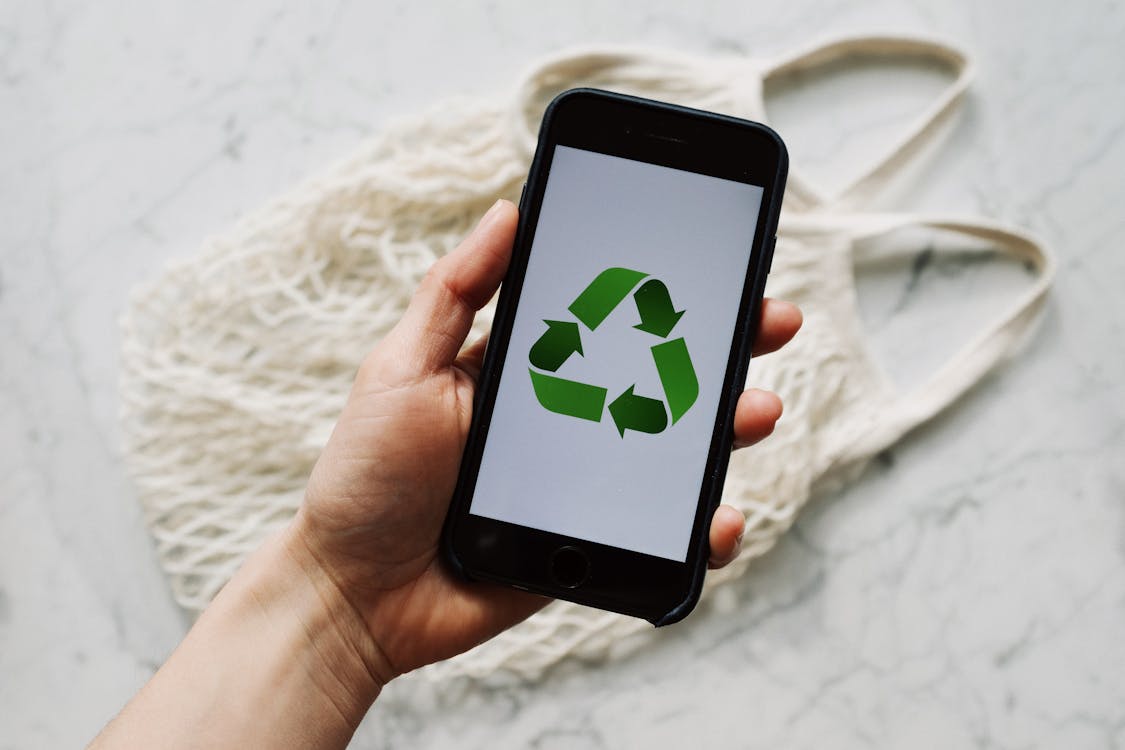
Do you have an old phone or laptop lying around your house that you don’t know what to do? Are you tired of looking at that broken tech gadget somewhere in a drawer? If so, this blog post is for you! Today’s article will discuss the best ways to dispose of old and broken tech gadgets. We will also provide some tips on recycling these devices safely and responsibly. Let’s get started!

Via Pexels

Return The Gadget To The Manufacturer

One of the best ways to dispose of an old or broken tech gadget is to return it to the manufacturer. Most major tech companies have recycling programs that allow consumers to return their used or damaged devices. These programs help keep harmful materials out of landfills, but they also allow the manufacturers to reuse and recycle many of the components inside the gadgets. In most cases, you can go to the manufacturer’s website and look for their recycling program. From there, you will be able to find instructions on how to pack and ship your device correctly.

Sell or Donate The Gadget

If you have an old tech gadget that is still in good working condition, you may want to consider selling it or donating it to someone who can use it. There are several online marketplaces, such as eBay and Craigslist, where you can list your used tech gadgets for sale. You can also check with local charities or non-profit organizations to see if they accept donations of used tech devices. An lcd buyback program is also a great way to get money for your old gadgets.

Recycle The Gadget

If you can’t return the gadget to the manufacturer or sell/donate it, your next best option is to recycle it. Most cities and towns have e-waste recycling programs that allow residents to drop off their old tech gadgets at designated locations. These programs ensure that the devices are correctly dismantled and recycled so that the harmful materials inside them don’t end up in landfills. You can usually find information about your local e-waste recycling program by doing a quick search online.

Go To An Electronics Repair Shop

If your gadget is broken but still repairable, you may want to take it to an electronics repair shop. These shops specialize in repairing all types of tech devices, from phones and laptops to TVs and gaming consoles. In most cases, the repairs are relatively inexpensive and can extend the life of your gadget by years. However, it’s important to note that not all devices are worth repairing. If the repair will cost more than half the price of a new gadget, it’s probably not worth it.

Sell The Gadgets Online

Another option you have is to sell the gadgets online. Several websites allow you to list your used tech gadgets for sale. You can also check with local charities or non-profit organizations to see if they accept donations of used tech devices. An lcd buyback program is also a great way to get money for your old gadgets.

Consider An Electronics Drive

If you have a lot of old or broken tech gadgets, you may want to consider having an electronics drive. These drives allow people to drop off their unwanted gadgets at a designated location. The gadgets are then recycled or donated to people who can use them. Electronics drives are a great way to get rid of all your old tech gadgets. Plus, it’s a great way to help the environment and those in need.

Donate To a Non-Profit

If you have an old tech gadget that is still in good working condition, you may consider donating it to a non-profit organization. Several organizations accept donations of used tech devices. These devices are then recycled or donated to people who can use them. Donating your old tech gadgets is a great way to help the environment and those in need.

Repurpose The Gadget Into Something New

If you have an old tech gadget that is no longer working, you may want to repurpose it into something new. There are several ways you can do this. For example, you can use an old laptop as a desktop computer. Or, you can use an old phone as a digital photo frame. There are endless possibilities when it comes to repurposing old tech gadgets. So, get creative and see what you can come up with.

Conclusion

As you can see, there are several ways you can dispose of old and broken tech gadgets. The best option for you will depend on the condition of your gadget and what you want to do with it. Please don’t throw these gadgets away as they have harmful materials that can damage the environment. Instead, do your part to help the environment by recycling, repurposing, or donating your old tech gadgets.

Contributed Post.

If you like what you’ve read here, please let others know of this post, blog, and site.

And thanks for reading!  🙂

Unknown's avatar

Web Development Maintenance: Why Do I Need It?

If you’re working with a professional web developer, they may have advised you that you will require ongoing website maintenance even after your new site has launched. Perhaps you don’t quite understand what that means or doubt that you’ll really benefit from this service. Well, think again.

Website maintenance is as important as the process of building the website itself. Without it, your new, shiny site will quickly lose traction. Bugs may emerge, and you may even expose your clients to significant security issues. In short, if your web development services team says you need web development maintenance, it’s best to listen to them!

What is web development maintenance?

Website maintenance involves regularly checking your site for issues and keeping content up-to-date. Both of these tasks are important. Any website, no matter how well constructed, is likely to develop functionality problems. If you let these problems pile up, customers are going to become very frustrated with your slow, broken website.

Website content, including photos, videos, and blogs, also tend to age quickly. Unless you’re updating content on a regular basis, potential clients may get the impression that your company is not particularly switched on or concerned with digital engagement. Even worse, if your assets are really outdated — for example, your blog hasn’t been updated in ten years — they may assume you’ve closed down completely.

Website maintenance is a strategy designed to circumvent these two problems.

What does web development maintenance involve?

Website maintenance can include any number of tasks that are usually carried out on a weekly, monthly, quarterly, or even yearly basis. If you’ve hired a professional web development company in Melbourne, it’s a good idea to talk about your maintenance needs and what types of packages the company offers. They are likely to suggest any number of the following tasks:

Weekly

Check that all pages load without errors.

Run a website backup to secure your data.

Update CMS software and plugins.

Check that forms (eg. email sign-up) are running seamlessly.

Remove spam comments.

Check for broken links.

Upload fresh content. This can be a written blog, a new video, a testimonial from a satisfied customer — be creative! Ideally this content will also be optimised for SEO purposes.

Monthly

Test website speed. If it has slowed, investigate and fix the root cause.

Conduct a security review. Patch any holes.

Study your website analytics. If there are certain pages visitors are avoiding or spending limited

time on, it could be a sign that something is wrong from a development perspective.

Quarterly

Review your entire site for areas of improvement.

Ensure your website is displaying correctly across all device types.

Conduct an on-page and technical SEO review.

Some of these maintenance tasks you may be able to carry out yourself. Uploading new content to your blog, for example, should be a fairly straightforward job, particularly if your website has been built using a user-friendly CMS. Others are likely to require the assistance of a professional web development services team.

In addition to these regular tasks, having a maintenance team on-hand means you’ll be able to deal with any emergency situations in a quick and efficient manner. If your website load time has suddenly doubled or all of your images are coming up with error messages, the last thing you want is to have to figure out what’s gone wrong on your own. It’s times like these that having a responsive development and maintenance team really pays off.

What to look for in a maintenance team

Now we understand what maintenance involves: what types of services and qualities should you be looking for in a maintenance team?

Well, to start with, it’s best if they have a local presence. While the beauty of web development is that it can be conducted anywhere in the world, an urgent problem is not going to be efficiently fixed if you’re waiting for your developer to wake up halfway around the world. At the very least, make sure the web development company you’re working with has some development team members within your time zone.

You should also partner with a team that’s explicit about what types of maintenance services they offer and what the ongoing cost will be. If a company is vague about what happens once your website launches or unable to articulate how they will respond to errors, avoid working with them at all costs.

Finally, choose a professional, talented web development company in Melbourne from the get-go. They might come at a slightly higher cost but they’re likely to build a solid, secure website that can cope with traffic numbers and doesn’t develop unexpected problems along the way.

Contributed Post.

If you like what you’ve read here, please let others know of this post, blog, and site.

And thanks for reading!  🙂


Unknown's avatar

Good Reasons to Fix Your Home Appliances in Spring

It’s that time of year again! The weather is getting warmer and the days are getting longer. Spring is a great time to get out and enjoy the outdoors, but it’s also a good time to think about taking care of your home appliances. Here are four good reasons to schedule appliance repair in the springtime:

1. Avoid the summer rush. Appliance repair companies tend to be busiest in the summer, when everyone is using their air conditioners and other appliances more frequently. By scheduling appliance repair in the spring, you can avoid the crowds and get your repairs done quickly and easily.

2. Beat the heat. Some appliance repairs, such as fridge repairs in summer, can be quite urgent. It’s much easier to complete these repairs when the weather is cool and comfortable, rather than hot and sticky.

3. Get ahead of the game. If you know that your appliances are due for repair or maintenance, it’s best to take care of it before the problem gets worse. By addressing appliance issues in the spring, you can avoid more serious problems down the road.

4. Enjoy peace of mind. Once your appliances are repaired, you can enjoy peace of mind knowing that they’re in good working order. This can help you relax and enjoy your springtime activities even more!

If you’re looking for a good reason to schedule appliance repair, these four are a great place to start. Spring is the perfect time to take care of your appliances, so don’t wait any longer!

Contributed Post.

If you like what you’ve read here, please let others know of this post, blog, and site.

And thanks for reading!  🙂

Unknown's avatar

7 Gadgets That Can Help Make Your Workplace More Productive

The way people work is constantly changing. With the invention of new technologies and gadgets, the workplace is becoming more and more productive. Here are just a few gadgets that can help your employees work more efficiently!

Gadget #1 Computers and Laptops

Computers and laptops have come a long way in the past few years. They’re now ligbhter, faster, and more powerful than ever before. This makes it the perfect tool for both personal and work use. With the ability to do everything from browsing the web to editing photos, a computer is a must-have for any office.

However, not all computers are built the same. That’s why it’s crucial to invest in a high-quality computer that has all the specifications your employees need to be more productive. So, whether you need a computer for general use or something more specific like graphics design, get the right one for your office!

Gadget #2 Smartphones and Tablets

In today’s day and age, it’s hard to imagine a world without smartphones and tablets. These devices have become essential for both personal and professional use. With the ability to stay connected to the internet at all times, they’re perfect for checking emails or working on projects while on the go.

When choosing gadgets for your workplace, it’s essential to consider which features will most benefit your employees. For example, if you need a device that can handle multiple tasks simultaneously, an iPad Pro would be a good option. On the other hand, if you mainly need a device for checking emails and completing simple jobs, then a standard smartphone would be more suitable.

Gadget #3 Bluetooth or Ergonomic Keyboard and Mouse

If you’re looking for a way to make typing on a phone or tablet easier, a Bluetooth keyboard and mouse might be the answer. These gadgets are designed to make it more comfortable to use a device for extended periods. They also help reduce the risk of repetitive strain injuries, a common problem for office workers.

Increasing the productivity of your employees doesn’t have to be expensive. Many affordable gadgets can make a big difference. For example, an ergonomic keyboard and mouse can be purchased for less than $100. They’re an excellent investment for any office that wants to improve the health and productivity of its employees!

Gadget #4 Headphones

Headphones are a great way to reduce distractions and increase productivity in the office. When workers can’t hear what’s happening around them, they can focus more on their work. This is especially beneficial for employees who work in open-plan offices or shared spaces.

Various types of headphones are available, so it’s essential to choose the right ones for your employees. For example, if your employees are constantly on calls with your customers, you might want to get them Poly headsets. These headphones are designed for customer service and offer superior sound quality.

Gadget #5 Wireless Chargers

Wireless chargers are perfect for people who are always on the go. They allow you to charge your devices without using any cords or wires. This makes it easy to stay connected no matter where you are.

There are a variety of different wireless chargers available on the market. So, it’s essential to choose the one that best suits your needs. For example, if you need a charger that can be used with multiple devices, then you should get a multi-port charger. These chargers are perfect for offices with many employees who need to stay connected.

Gadget #6 Portable Printers

Portable printers are great for when you need to print documents on the go. They’re small and lightweight, so your employees can easily take them wherever they go.

When choosing a portable printer, it’s essential to consider the type of documents you’ll be printing. For example, if you need to print high-quality photos, you’ll need a printer with a high dpi. But if you only need to print text documents, then a lower dpi will suffice.

Gadget #7 Virtual Reality Devices

Virtual reality (VR) devices are perfect for training and simulations. They can also be used for entertainment and gaming, which can help to improve employee morale. And if you need to conduct virtual meetings or events, there are a variety of VR platforms that can be used for this purpose.

When choosing a virtual reality device, it’s essential to consider the needs of your workplace. For example, if you need a device that numerous employees can use, you should get a VR headset that supports multiple users.

The workplace is constantly changing, and it’s vital to stay ahead of the curve. Using the latest gadgets and technologies can easily make your workplace more productive. Give these gadgets a try to see how they can help you get ahead in your career!

Contributed Post.

If you like what you’ve read here, please let others know of this post, blog, and site.

And thanks for reading!  🙂

Unknown's avatar

The Role of Technology in the Future of Real Estate

It’s no secret that technology is changing the way we live. In fact, many people would say that technology has changed virtually every aspect of our lives. The same can be said for the world of real estate. In this article, we’ll explore the role of technology in real estate.

We’ll look at how apps are transforming the way agents interact with clients, including virtual tours, and how technology is making the house hunt easier. Technology has also changed what it feels like to go on a home tour-you can now take a three-dimensional tour without ever leaving your living room.

The role of technology in the real estate industry today

Before diving into the role technology plays in real estate, let’s talk about what defines today’s real estate industry. There are three players in every real estate transaction: the buyer, the seller/landlord, and the real estate agent. The role of technology in each of these players varies; however, the end result is that technology improves the industry as a whole.

The impact of technology on the buying and selling process

But real estate agents aren’t the only ones using technology to improve real estate transactions. Buyers and sellers are also using apps and other devices to make real estate transactions faster, easier, and more convenient. For example, real estate apps are being used by buyers to find homes that fit their needs. These apps make it easy for buyers to share wish lists, as well as property preferences. Plus, since many of these properties are listed on sites like Airbnb, they can also be booked and made available instantly. This makes touring homes very easy for buyers.

In the past, homebuyers and sellers had to wait for brokers to list properties in newspaper ads. This meant that buyers could spend days reading the ads before they found the perfect property. Now, with the help of the internet and technology, buyers can be matched with the perfect property in a matter of hours. For example, if a buyer is interested in a home for sale in New York, they can visit online search sites and view hundreds or even thousands of homes that were listed by real estate agents.

How technology has changed the way we view property

First, let’s talk about meeting clients online. Some real estate agents are utilizing technology to give clients virtual tours of homes before showing up in person. This is not only convenient for the client, but it’s also convenient for the agent, as they only have to drive to homes that are suited for potential clients.

When you think about it, these virtual tours are actually very similar to showing traditional models of homes. Remember, though, that there are many different types of virtual tours. Some real estate agents take 3D tours that are compatible with virtual reality. This means that buyers can look around the home as if they were standing there, without even being physically present. Other real estate agents create cinematic videos, which means that buyers can see what a home looks like from virtually every angle without ever leaving their living room.

Taking virtual tours has made touring homes a lot more convenient. In the past, buyers had to travel from house to house throughout their entire weekend looking for homes that suited their needs. Now, they can conduct all of their research on the internet and smartphone apps.

Technology is also making it easier for people to view a property from afar. In addition to virtual reality, technology has also created new ways of viewing homes from a distance. For example, drone technology is making it possible for people to view homes or properties on the market by flying over them. This gives people the chance of viewing large lots of land, as well as maximize the number of homes or properties they can tour.

The future of real estate and the role of technology

The real estate industry is rapidly changing, and technology is helping to drive these changes. Technology has already changed the way we inform ourselves about properties, schedule tours, and communicate with each other.

While real estate agents are using apps to give clients virtual home tours, many buyers are also using apps to find homes that fit their needs. Technology has also changed the way we view property-virtual tours and drone technology is making it possible for people to view homes from afar.

In the future, people will have even greater access to real estate apps and websites that make it easy for them to find homes that fit their needs. Plus, new technology will continue to revolutionize the way we view properties and communicate with each other.

Contributed Post.

If you like what you’ve read here, please let others know of this post, blog, and site.

And thanks for reading!  🙂

Unknown's avatar

What is a Solidity Developer?

Solidity developers use object-oriented Solidity language to build and deploy smart contracts. These are related to Ethereum-based applications.

You can find out in more detail about the computer programming language by following the solidity tutorial.

During this article, we will look to discover more about what a Solidity developer is and what they do.

What Type of Language is it that Solidity Developers Use?

Solidity is a native language that originates from Ethereum. It provides businesses with the advantage of launching their projects on the Ethereum Blockchain platform.

It is an object-oriented language, and this simply means that it revolves around the idea of an object. These kinds of languages were developed to make it much easier to develop, reduce, debug, and maintain software than was ever possible with the earlier computer languages.

To explain further, object-oriented programming (OOP) relies on the idea of classes and objects. Their functions will be defined as a class and perform a particular action that is helpful to the type of object. It is about changing an object in some way. For example, a Ball class might have a method that changes the size of the ball.

Now we know what kind of language it is that a Solidity developer engages in, we should know what an Ethereum Blockchain platform is. We can define it as an open-source, decentralized blockchain that offers smart contract functionality, where Ether is the cryptocurrency used.

How Do You Become a Solidity Developer?

To become a Solidity developer, you will need to have a basic understanding of Blockchain technology, as well as related platforms.

Anyone with a computer science background will have a great starting point to becoming a Solidity developer. Then, to have a basic idea, at least, of computer programming languages would be a distinct advantage.

In terms of what traits, that you should have as a person, you will need to be something of a self-learner and have a passion for technology. Also, those who work in computers tend to be logical thinkers and good with mathematical calculations. Self-learning is the way many people get to grips with computers. There are lots of resources online too, such as tutorials to teach the different areas of computing, such as Solidity coding.

In terms of the best way to learn, it is about being prepared to find out as much information as you can, because then it will start to make sense when you read the different ways computer-minded educators will explain the same thing. There is no substitute for having a go, either, to make sure that what we have read does work for us on a computer.

Should I Learn JavaScript?

There is no necessity to have JavaScript knowledge to learn Solidity because the similarities between the two are, to a degree, superficial. It will not help significantly anyway because there will be a lot to learn either way, simply because blockchain platforms are not like any other form of software a developer works with, regardless of syntax. By syntax, we mean the structure of statements in a computer language.

One could argue that any grounding in computers will help, but you will primarily need an aptitude for computer coding or programming.

How Long Does It Take to Learn Solidity Coding?

It is likely to take 6 months to learn Solidity. This is good considering that it can lead to a six-figure job. You can learn to an extent by doing it, but it is much better to be guided through a tutorial. Then, you will be learning about Solidity without missing something out that later proves vital. It is peace of mind to be guided by someone who knows and to then know yourself that you are picking up what is useful for the future.

A Solidity developer is a specific role within computing, but an area that you can learn about from already working in computers, or at least by having a good grounding in computers through education. Once you have learned this language, then you will be able to code in terms of Ethereum Blockchain platforms.

Contributed Post.

If you like what you’ve read here, please let others know of this post, blog, and site.

And thanks for reading!  🙂

Unknown's avatar

Optimising Your Software to Run Smoothly For Your Small Business

Software is a crucial part of running a business. It can be the difference between success and failure in an enterprise. But when software goes wrong, it could leave your data vulnerable and yourself in a tight spot. So how do you avoid this? This blog post will give you some tips on optimizing your software for your small business to improve the effectiveness of the software.

Via Pexels

Keep Your Software Up-To-Date

One of the most important things you can do to protect yourself from security vulnerabilities is to keep your software up-to-date. Outdated software is a common entry point for hackers, so make sure to install any updates as soon as they become available. This may seem like an obvious step, but it’s one that many people forget.

In addition to keeping your software up-to-date, you should also ensure that your operating system is up-to-date. Again, this is an often overlooked step, but it’s essential nonetheless. Operating system updates typically include security patches, so it’s important to install them as soon as they become available.

Train Your Team On Software Capabilities

One of the biggest problems that small businesses face is a lack of training. In many cases, employees aren’t familiar with using software tools, leading to slow processing speeds and reduced productivity levels. Most employees only end up using part of the software solution instead of the full package, limiting the technology’s advantage.

You should find innovative ways to train your team on software capabilities to solve this problem. For example, if you work in a team, you could set up customized training sessions. Or, if your business is remote based, there are other options for virtual meetings that can bring everyone together to discuss how best to use software tools.

Find Ways To Bridge The Use Of Multiple Software Solutions

Sometimes, your business may need to use multiple software solutions. For example, you might have an accounting solution for finance purposes and a customer relationship management (CRM) tool that helps salespeople keep track of leads. While this is beneficial in many ways, it can also create compatibility issues between the two different programs, leading to data loss or processing delays.

To avoid these problems, you should find ways to bridge the use of multiple software solutions. Look for software that can bridge the gap between various software solutions and run automated role workflows to optimize the different software solutions at your disposal. 

Back-Up Data In Real-Time In The Cloud

If your software goes down, you need to have a backup in place. This will protect you from losing important data and ensure that business operations continue as usual when there are problems with your primary system. But how do you back up data? One of the most popular ways is using cloud storage services like Dropbox or Google Drive.

To back up data in real-time, you should find a way of storing your files on the cloud. This will ensure that when disaster strikes and software goes down, you won’t lose any vital information and can continue running business operations as usual with minimal downtime.

In conclusion, these are some tips on optimizing your software for your small business. By following these tips, you can improve the effectiveness of your software and ensure that your data is safe and secure.

Contributed Post.

If you like what you’ve read here, please let others know of this post, blog, and site.

And thanks for reading!  🙂